
The moment an IIFL technical issue hits, the login gets stuck, charts get frozen, and orders don’t go through. It feels less like “trading” and more like “waiting.”
Now here’s the honest part: technical problems happen with almost every app at some point, especially during fast markets. But you should never feel helpless or confused about what to do next, because if you report it with the right proof and in the right order, your complaint becomes much harder to ignore.
This blog will help you understand what’s happening and how to report it the right way so you actually get a response.
Technical Glitch in IIFL App
An IIFL technical issue simply means a system or app problem that stops you from doing a normal action like placing an order, seeing holdings, transferring funds, or even logging in, even when your account itself is fine.
It matters because timing is everything in the markets.
A 2-minute glitch can turn into a missed entry, a bad exit, or a panic decision, and that is exactly why reporting with screenshots and a clear timeline is so important.
Common Types of IIFL Technical Issues
Here are the most common “IIFL technical issue” situations people face on broker apps:
- The app is not opening, is crashing, or is stuck on loading.
- IIFL Securities login issues/OTP issues (OTP not coming, session expired repeatedly).
- Orders not placed, pending too long, or sudden rejection without clarity.
- Price/chart lag (you see one price, the market is already elsewhere).
- Fund/withdrawal problems (money debited but not reflected, payout pending).
- Holdings/positions not updating properly after trade.
Sometimes the issue is temporary, sometimes it’s device/network related, and sometimes it’s a genuine platform-side incident. Either way, the reporting steps stay mostly the same.
IIFL Trading Platform Technical Glitch Case
Let me share a real case with you where the client lost Rs. 1.7 lakhs due to a technical glitch.
Technical Glitch Trading Loss
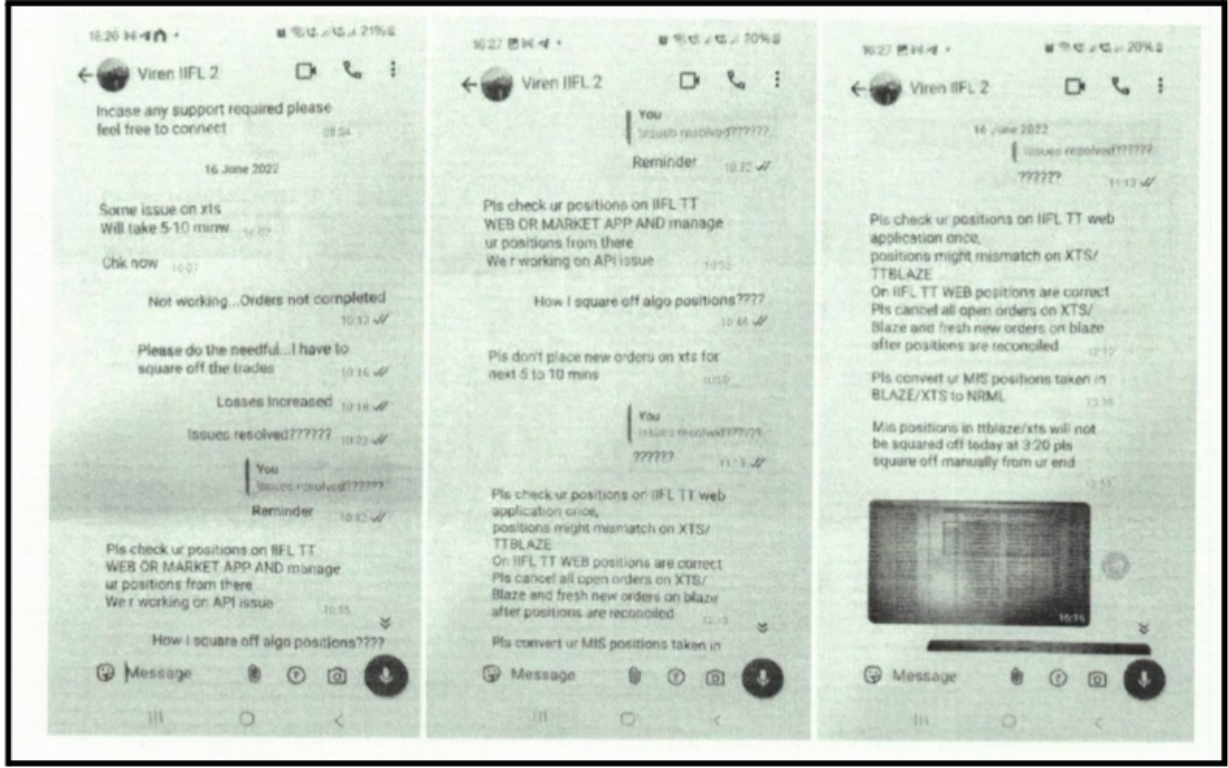
Indrayani Gujar who was a member of IIFL filed an arbitration case against the company. She alleged that there was a technical glitch in the app in June 2022 at 9:48am- 11:00 am.
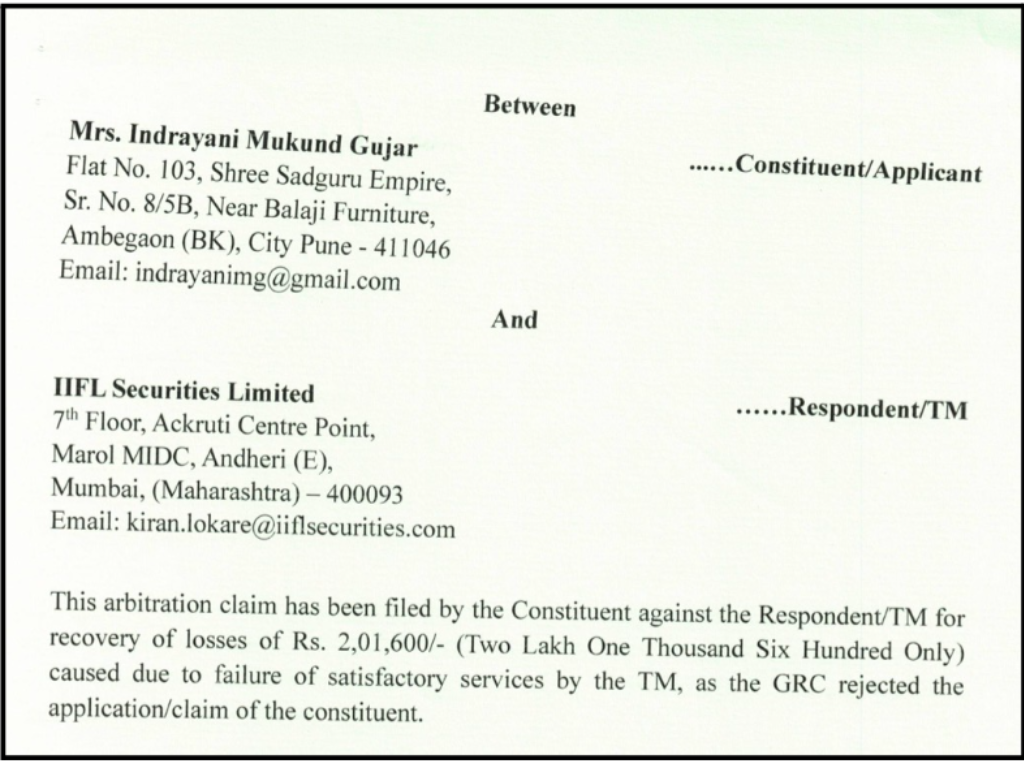
She requested Rs 2.01 lakh for unclosable Nifty positions. She also provided the screenshots of chats that clearly showed that the actual amount was Rs 1.79 lakh.
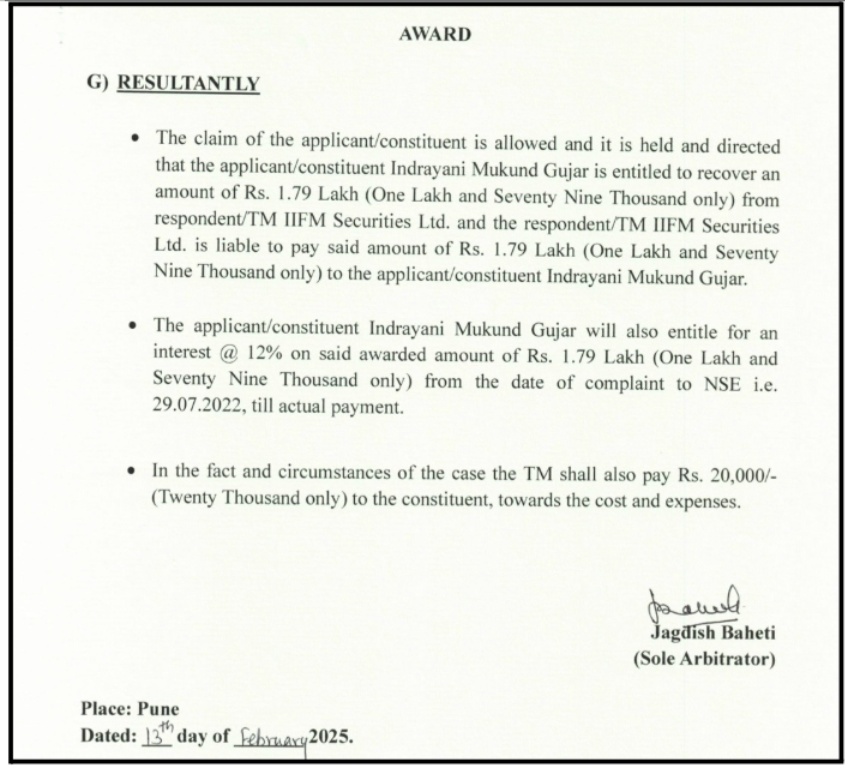
IIFL admitted the glitch but blamed her orders. The arbitrator held service failure despite requests. The victim was awarded Rs 1.79 lakh plus 12% interest from July 2022 and Rs 20,000 costs.
Cases like these show that if your issue is genuine and if you have the valid proof to show that, you will never be at a loss. All you need is a team that fights for your rights.
How To Report IIFL Technical Issue?
Before assuming the app is “down,” try switching between Wi‑Fi and mobile data, restarting the app, and checking if the website version works.
Also, check if other apps are working fine, as this quickly tells you whether the issue is only with IIFL or your internet. If the issue disappears after a restart or update, it was likely temporary.
If you face an IIFL technical issue, follow these steps to get the best possible response:
- Collect proof
Take screenshots or a screen recording showing the error, time, and what exactly failed, like order placement, login, positions, etc.
Note down your order ID, quantity, and the exact time you clicked buy or sell. If money got debited or a position got impacted, save that page too.
This proof is what turns your complaint from “it didn’t work” into “here is what happened, and here is the impact.”
- Raise a ticket inside IIFL’s support system
Use the app’s help option to raise a complaint and keep the ticket number safe, because that number becomes your tracking reference later.
IIFL Capital’s complaint-status process mentions tracking tickets from the IIFL Mobile App by using the “?” help icon and checking whether the ticket shows Open or Closed.
When the support team responds, ask for a written closure so you have a clear record.
- Email the right team
If the issue is serious, like order loss, a funds issue, repeated failure, or email support, you have a written trail.
In your email, add the client code, date, and time of issue, what failed, screenshots, and what resolution you want.
If the complaint is not addressed to your satisfaction, IIFL’s escalation matrix itself points investors to SEBI SCORES and to file a complaint in Smart ODR portal as the next options.
SEBI’s SCORES portal explains that it is an online grievance redressal facilitation platform and also notes that investors should first take up the grievance with the concerned entity through its designated grievance officials.
For disputes that move beyond complaint handling, SEBI’s Smart ODR page describes ODR as a technology-based dispute resolution process meant to resolve disputes outside courtrooms, with a documented online process.
Need Help?
Register with us; if you have lost money due to a IIFL Technical Issue, you don’t have to handle it alone.
Technical failures such as app crashes, order execution delays, login problems, or stuck positions can lead to real financial losses, especially during fast market conditions.
We help traders understand what went wrong, document the issue properly, and take the right steps to file a complaint with the broker or relevant authorities.
Conclusion
A sudden IIFL technical issue can feel personal because the app may choose the worst possible time to test your patience. But the smartest move is to treat it calmly as a process problem: collect proof, raise a ticket, and put everything in writing so your complaint has a clear timeline.
Most issues get solved faster when your message is clean and specific: “This is what failed, this is the time, this is the impact, and this is what I want as a resolution.” If you are confused about how to resolve your issue, you must contact a support team that will help you out with every process.