NSDL stands for National Securities Depository Limited. It’s India’s first and largest securities depository.
Established in 1996.
According to SEBI records, NSDL holds a valid depository license.
It’s subject to regular audits and compliance checks.
However, legitimate doesn’t mean problem-free. Users face recurring technical issues. Poor customer service adds to frustration.
NSDL Complaints
Here are some of the instances where users have faced losses because of technical glitches in NSDL.
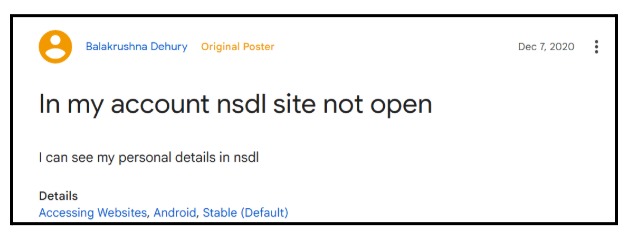
Problem 1: NSDL Website Not Loading or Crashing
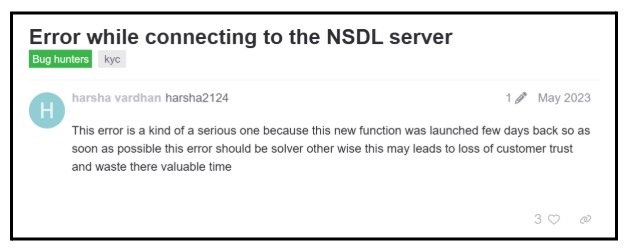
Based on the user reviews, the website keeps showing ‘Server Error’ during peak hours.
What to Do:
- Clear browser cache and cookies
- Try different browsers (Chrome, Firefox, Edge)
- Access during off-peak hours (early morning or late night)
- Use incognito/private mode
- Check NSDL’s official social media for maintenance updates
Problem 2: PAN Card Application Status Stuck
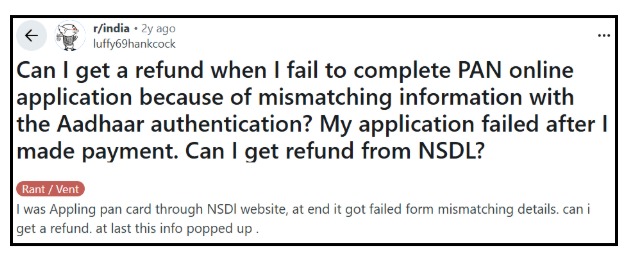
Users report PAN applications remaining stuck at “Application Submitted” despite successful payment.
A Reddit user reports PAN application failure after payment due to Aadhaar mismatch, with refund concerns from NSDL.
Reasons Why NSDL PAN Status Gets Delayed:
1. Data Entry Errors or Mismatch: Mismatches between Aadhaar details and PAN application cause the most delays.
Even minor spelling differences in names, incorrect date of birth, or address variations trigger verification holds.
How to Fix: Double-check all entered information matches your Aadhaar card exactly before submission.
If already submitted, contact the NSDL helpline with the correct details and request manual verification.
2. Poor Quality Documents: Blurred photographs, unclear scans, or documents with missing corners get rejected during verification.
How to Fix: Reapply with high-resolution scans (minimum 200 DPI). Ensure all four corners of documents are visible, and text is clearly readable.
3. Technical Glitches in NSDL System: Server errors during submission often cause applications to remain in “pending” status indefinitely.
How to Fix: Wait 48 hours, then email with your acknowledgement number. Request a manual status check and escalation if needed.
4. Peak Processing Times: Applications submitted during the financial year-end (March-April) face longer delays due to high volume.
How to Fix: Apply during non-peak months if possible. If urgent, use Tatkal service (costs extra ₹110 but processes within 3-4 days).
5. Incomplete Payment Processing: Payment gateway timeouts cause applications to submit without payment confirmation, leading to indefinite pending status.
How to Fix: Check bank statements for deductions. If the amount is debited, email payment proof (screenshot + UTR number) to NSDL. They’ll manually link the payment to your application.
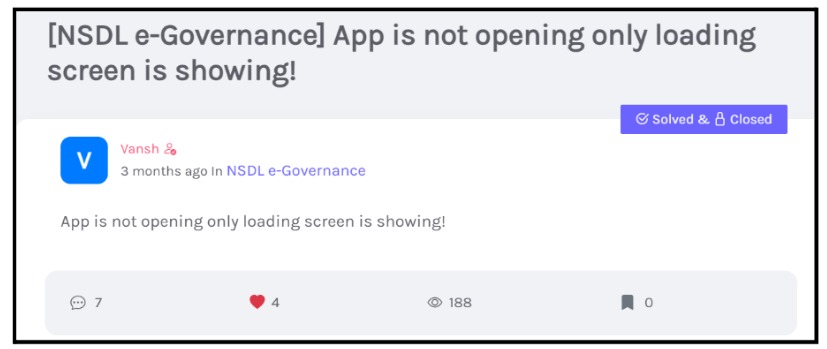
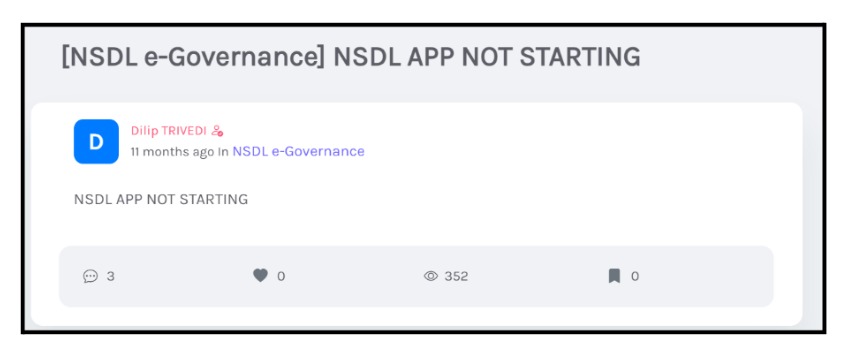
Problem 3: NSDL Mobile App Not Starting
Users report the NSDL e-Governance app getting stuck on the loading screen and failing to open, as highlighted in community forum complaints.
What to Do:
- Update the app to the latest version from the Play Store/App Store
- Clear app cache: Settings > Apps > NSDL > Clear Cache
- Check phone storage (minimum 1GB free space required)
- Restart the phone after clearing the cache
- Check if the Android/iOS version is compatible
Problem 4: UPI Authentication Failing
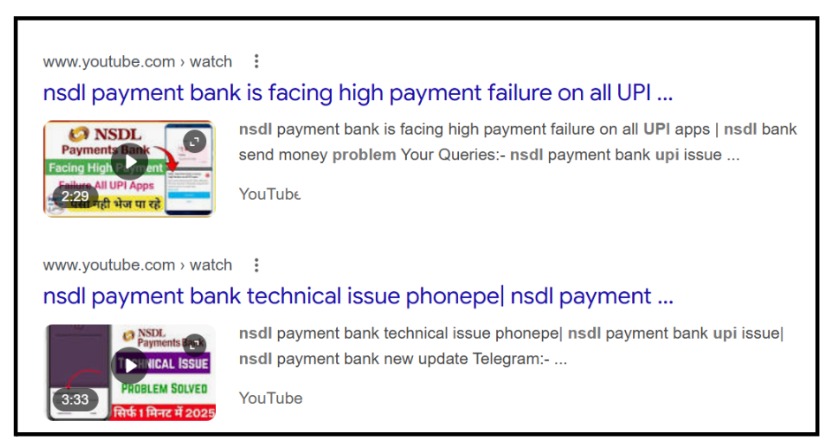
Users report frequent UPI payment failures with NSDL Payment Bank across apps like PhonePe and GPay.
Also, the cases where payments are debited, but applications are not submitted due to technical issues.
What to Do:
- Save the UTR/Transaction Reference Number immediately
- Wait 24-48 hours for auto-reconciliation
- Check your spam folder for the confirmation email
- Contact NSDL with the UTR number
- File a complaint if no response within 72 hours
Problem 5: CAS Statement Download Error
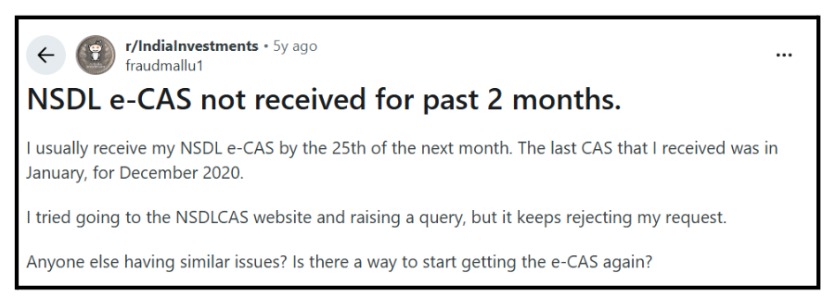
Users report being unable to download or receive NSDL e-CAS for months, with the NSDL CAS website repeatedly rejecting requests despite multiple attempts.
What to Do:
- Request CAS via email instead
- Provide: PAN, email ID, and period required
- Alternative: Request from your DP directly
- Check if the email ID is registered with NSDL
Problem 6: Nominee Details Not Saving
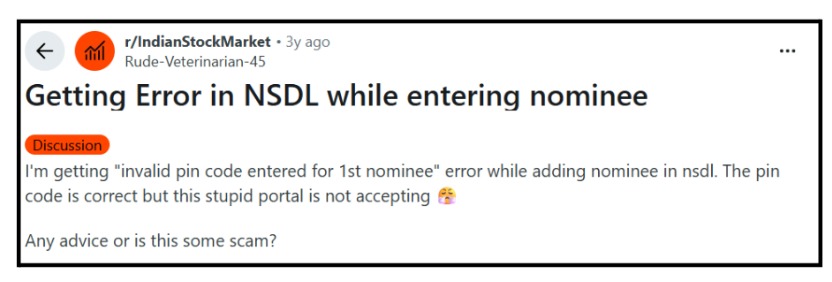
Users report repeated errors while adding nominee details on the NSDL portal, such as “invalid pin code” messages, even when correct information is entered.
What to Do:
- Save nominee information in a document first
- Try submitting section by section (personal details, then address, then document)
- Avoid special characters in name fields
- Use JPEG format for documents (not PNG or PDF)
- File size should be under 200KB
How to Report NSDL Issues?
In case you reported NSDL issues, then you can take necessary steps to recover losses:
- File a complaint with SEBI.
- Register a complaint against NSDL.
- Track status online.
- Average resolution: 30 days
- If the issue remains unresolved, you can file a complaint in SMART ODR, where the matter may proceed to mediation, counselling, and, if required, arbitration in stock market for final resolution.
Need Help?
Facing persistent problems with NSDL services? You’re not alone. Thousands face similar issues daily.
When DIY Solutions Don’t Work:
If you’ve tried troubleshooting steps multiple times and are still facing issues, professional guidance helps. Common scenarios requiring assistance:
- Money deducted but service not received (for over 7 days)
- Application stuck without updates (beyond 30 days)
- Unable to access the demat account due to technical errors
- Incorrect information was processed despite a correct submission
- No response to complaints filed directly with NSDL
Register Your Complaint With Us:
We connect you with proper resolution channels. Get expert guidance on documentation, escalation, and follow-through.
Our team understands NSDL’s complaint ecosystem and SEBI’s regulatory framework.
What We Help With:
- Proper documentation of your complaint
- Identifying the right escalation channel
- Drafting complaints in regulatory language
- Follow-up strategies that work
- Connecting with consumer forums if needed
Don’t let technical errors cost you money or peace of mind. Register your issue. Get proper guidance. Resolve it systematically.
Conclusion
NSDL is legitimate and regulated by SEBI. Your securities remain safe in their depository system. However, their digital infrastructure desperately needs upgrades.
The depository function works reliably for holding securities. But PAN services face constant technical glitches. Customer support remains inadequate and frustratingly slow.
Use NSDL during off-peak hours for best results. Keep backups of all documents and screenshots at every step.
Don’t hesitate to escalate complaints when needed. Never share OTPs or passwords with anyone. According to user patterns, 80% of issues resolve with patience and proper documentation.