
Quick Summary
A broker’s app refused to cancel a client’s order on expiry eve, reported a sale that never happened, and left him holding an open position overnight. The next morning, 2,145 units were sold out of his account without his instruction at about half the market price, after a margin shortfall the glitch itself created. His own contract note contradicted what the app had reported. After a formal legal notice and direct negotiation with the broker’s compliance team, he recovered the full ₹1,02,000 claim.
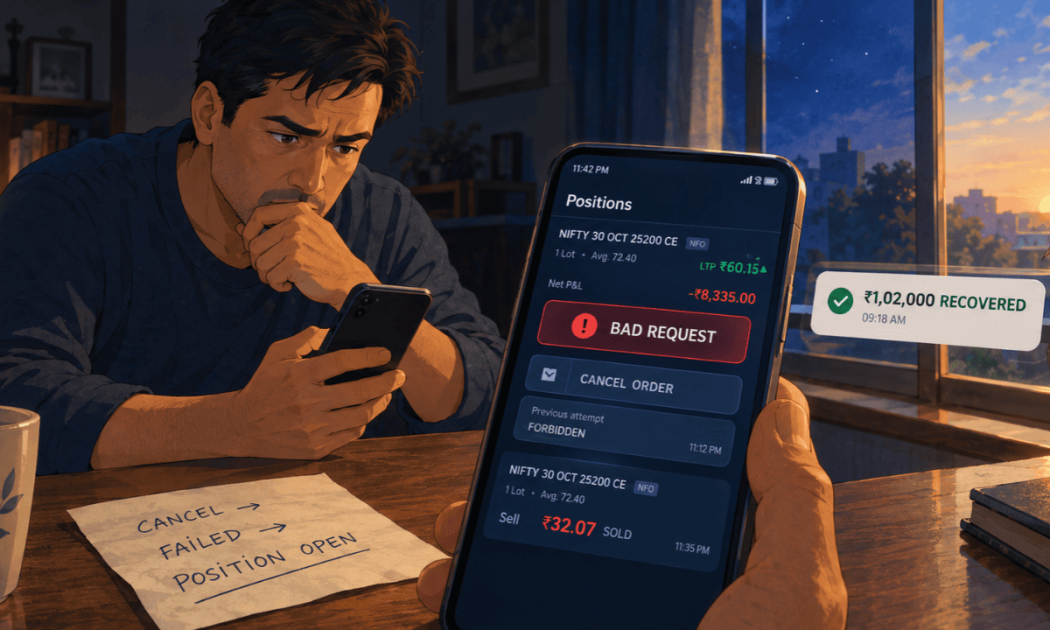
You tell your app to cancel an order, and it answers “Bad Request.” By the next morning, your position has been sold at ₹32 while the market paid ₹60.
That is what happened to Mayank Joshi (name changed) from Udaipur, Rajasthan, on an expiry eve, spent fighting an app that would not obey him.
Here is how one chain of glitches led to a forced sale, and how the full ₹1,02,000 came back.
Broker App Order Cancel Not Working, “Bad Request” and “Forbidden” Errors
Late in the morning on expiry eve, Mayank had a pending order in an index put option. He told the app to cancel it.
The app returned the message “Bad Request.”
Eighteen minutes later, the order was still live. He tried again. The app said “Forbidden.”
Within the same minute, another attempt returned “Something went wrong.”
At 1:06 pm, nearly two hours after his first attempt, an incomplete order in that contract still sat on his Orders screen.
An order a client has withdrawn, but the broker keeps alive, stands without his authority.
For almost two hours, his account carried exposure he had tried to remove.
Anyone whose cancellation requests were refused can file a broker forced square off complaint, since the failed cancellation attempts are timestamped evidence.
Trading App Reporting a Sale and Position That Never Happened
At 12:53 pm, the app reported Mayank’s holding as 71 lots, with an average sale price of ₹60.89 and a loss of ₹68,486.60.
His own contract note told a different story. It recorded sales of only 50 lots that day, at three other prices.
None was ₹60.89. He had never sold 71 lots at any price.
The app contradicted itself within a single minute too. At 11:42 am, the Positions screen showed the contract closed, with no open position.
At 11:43 am, it showed an open long position of 20 lots.
Mayank was making expiry eve decisions against a record that his own contract note proved false.
Order Showing 21/20 Lots Executed on a Broker App
At 1:06 pm, a market sell order showed on his Pending tab marked “21/20 lots.”
An order for twenty lots cannot execute twenty-one.
That line suggested more had been dealt in his name than he had ordered.
The order also had not filled. The market depth screen showed over five million units on the bid side, against his 1,300.
A market order that fails against a book that deep may never have reached the exchange.
Broker App “Intermittent Issues” Banner Appeared Hours Too Late
Only at 1:06 pm did a banner appear on his Orders screen. It said he “might be facing some intermittent issues” placing or cancelling orders, and that the team was working on it.
That banner arrived hours after his first failed cancellation.
It named no cause, gave no time, and offered no instruction about his open position.
His calls to support met queues of 192 callers on the first day and 127 on the second.
He was told the loss was his to bear.
Position Sold at Half the Market Price on Expiry Day After a Margin Shortfall
Because his position stayed open overnight, a margin shortfall followed.
At 9:24 the next morning, he held 41 lots, or 2,665 units. By 10:02, he held eight lots.
In those thirty-eight minutes, 33 lots were sold out of his account. Mayank gave no order for it. The average sale price was ₹32.07.
At 10:44, the same contract traded at ₹60.15, up more than 30 percent on the day.
His holding had left his account at about half the price the market was paying that very morning.
If the broker called this a risk management square off, the shortfall behind it existed only because its own app blocked his exit the day before.
How We Linked Broker App Glitches to the Forced Square Off Loss?
The case worked because every failure linked to the next.
We laid that chain out step by step:
Step One: We Timestamped Every Failed Cancellation
The error messages, the times, and the unchanged order status were captured in sequence.
They showed the app, not Mayank, was the point of failure.
Step Two: We Compared the App’s Reports With the Contract Note
The phantom sale at ₹60.89 and the 71 lot position were set against the contract note.
The mismatch proved the app had reported trades that never took place.
Step Three: We Linked the Overnight Position to the Forced Sale
The blocked exit created the open position. The open position created the margin demand.
The margin demand preceded the sale at ₹32.07. Each link relied on the broker’s own records.
Step Four: We Demanded Proof of Instruction for Every Sale
SEBI rules require a broker to keep evidence that the client placed each order.
Our notice demanded that evidence for the 2,145 units sold. If the broker relied on a square-off, we asked for the margin demands, their times, and the authority used.
Step Five: We Called for the Mandatory Glitch Reports
A broker must inform clients and exchanges within two hours of a technical glitch.
It must file a preliminary report the next day and a root cause analysis within fourteen working days. Our notice asked for all three.
Step Six: We Pressed the Compliance Team to a Full Refund
With the chain documented and the preservation notice served, we engaged the compliance team directly and held firm on the full claim.
Full ₹1,02,000 Recovered From the Broker’s Compliance Team
Mayank’s claim stood at ₹1,02,000.
After the legal notice and sustained engagement with the compliance team, the broker agreed to refund the entire amount.
He recovered ₹1,02,000, one hundred percent of his claim.
Was Your Position Sold After Your App Stopped Working? Our Team Can Help
Mayank’s case turned on a sequence, a failed cancel, an open position, a margin call, and a forced sale. Write that sequence down with timestamps while the details are fresh.
Register with us and we will take it from there.
Conclusion
A forced sale is easy to blame on the market. Mayank’s case shows why tracing its cause backward matters.
The sale at ₹32.07 followed a margin shortfall, the shortfall followed an overnight position, and the position existed because the app would not cancel his order.
Each step is recorded in the broker’s own screens, notes, and messages.
The in-app banner admitting intermittent issues helped too, since it conceded a malfunction while it was happening.
Investors facing similar losses should keep screenshots of every error and ask for proof of instruction on each disputed sale.
If a compliance team does not settle the matter, the SMART ODR route accepts the same evidence in a structured forum.
Report. Recover. Stay Fraud Free.
Only with your order or a documented, authorised risk management action. If it claims a square off, ask for the margin demand and its timing. Then the cause lies with the broker's own system. Document the failed cancellations and exits that created the open position. Messages like "Bad Request" or "Forbidden" are timestamped proof that your instructions did not reach the exchange. It must inform exchanges and clients within two hours, submit a preliminary report the next day, and file a root cause analysis within fourteen working days. Record your screen, note exact times, keep every error message, and save your contract notes for both days.Frequently Asked Questions





 Add us as a preferred source on Google »

