When your stock market app is not working, it feels like the market moved without you. And that’s scary, especially in a fast candle. But most outages fall into predictable buckets.
So the goal is simple. Figure out what kind of issue it is. Then act in the correct order. That’s what we are going to talk about in this post.
Technical Glitch in Stock Market
This sounds basic, but it’s common. Many breakdown moments are actually device issues.
If your app is frozen, start here.
- Switch Wi-Fi to mobile data.
- Restart the phone once.
- Update the app from the store.
Some brokers even publish this as the first fix. For example, ICICIdirect suggests reinstalling the latest version of the app.
That doesn’t mean the broker is innocent. It just means the simplest fixes often work.
Other than this, there could be some big technical issues that lead to trading app issues. Below are some of the common ones:
Technical Glitch in Broker’s App
If login fails for everyone, it’s an outage. Your phone is not the main problem, then.
Brokers in India have publicly faced these glitches.
Here are a few cases where brokers’ apps failed in the live market hours, leading to losses.
1. ICICI Direct App Not Working
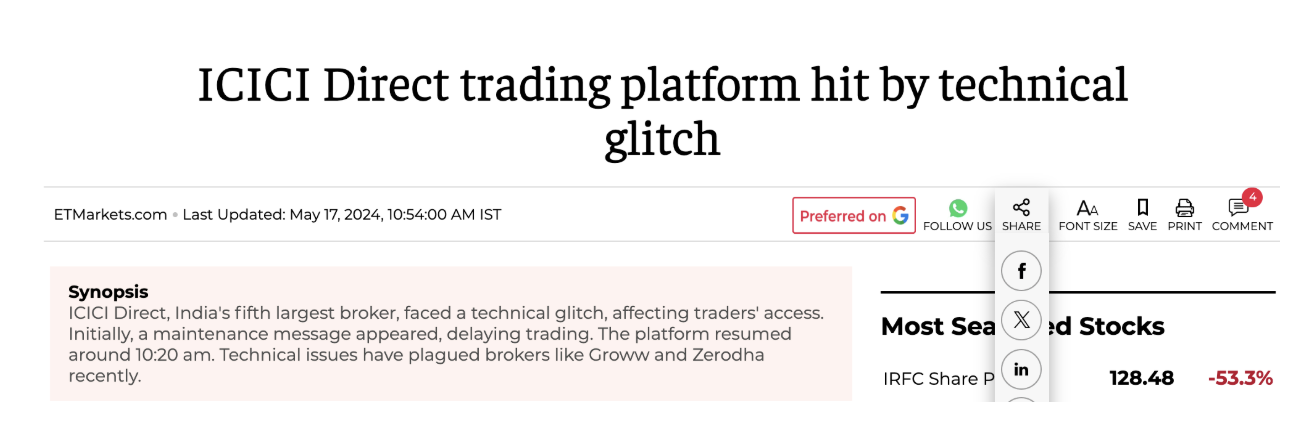
ICICI Direct had a trading platform glitch reported by ET. Users saw a maintenance message and delays in trading access. Older cases also show how customers felt “trapped.”
You’ll notice a pattern. Issues spike during market hours. Because the load rises, and failures show up fast.
Such cases lead to missed opportunities and real financial stress. Such issues feel even more intense during volatile market hours, where every second counts.
While technical glitches can occur with any platform, repeated or prolonged downtime highlights how dependent investors are on stable trading apps—and how disruptive it can be when that trust is shaken.
2. Zerodha App Not Working
Zerodha being one of the leading stock brokers in India, has too faced technical issues.
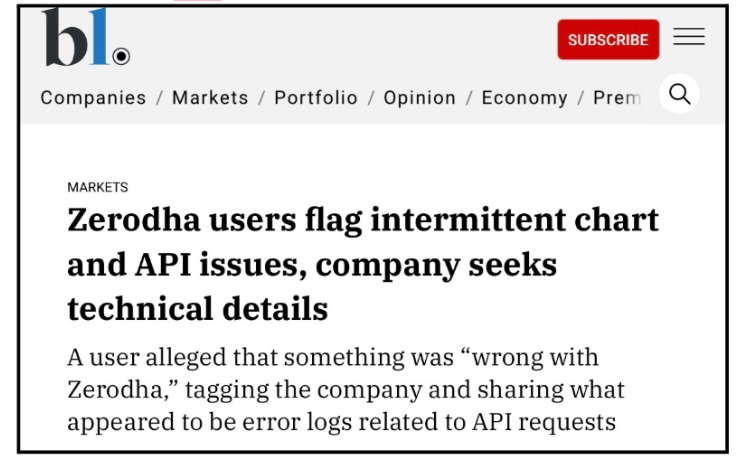
Many traders relying on Zerodha’s Kite app have faced unexpected outages and performance problems, especially during key market hours due to login issues.
On 3 September 2025, the app failed to update stock prices and portfolio values for many users right at market open, leading to frustration and fear of financial loss among active traders. During this outage, some users couldn’t see real-time quotes, watchlists appeared frozen, and orders showed outdated values, without warning.
Another major disruption came in December 2025, when a global Cloudflare outage, a widespread internet infrastructure failure, temporarily affected Zerodha’s servers along with other trading platforms.
3. Groww App Not Working
If you’ve ever tried to open your Groww app only to see it freeze, fail to load, or refuse to let you place a trade, you’re not alone, many users have reported exactly these kinds of Groww App issues.
On December 5, 2025, Groww was among several major trading platforms that suddenly went offline due to a global Cloudflare outage, causing login failures and disruptions in placing orders or accessing market data during live market hours.
The outage was tied to issues in how Cloudflare’s network was parsing requests, not a direct security breach or attack on Groww itself, but the effect on users was immediate and stressful.
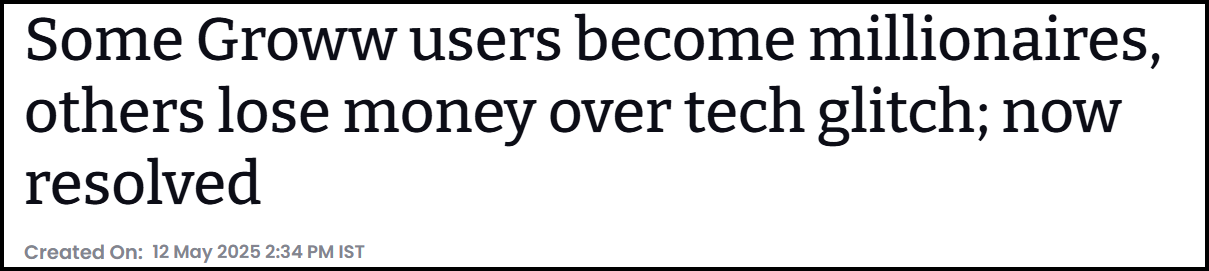
Other than this, on May 12, the Groww app stopped working in market hours, which led to losses to many traders.
Beyond rare widespread outages, there have also been numerous user-reported glitches over the years, from login failures and slow chart updates to watchlists disappearing mid-trade and delayed portfolio data. For example:
- Several traders posted that their charts and real-time price feeds froze or lagged just when they needed them most.
- Past incidents saw GTT (Good-Till-Triggered) orders firing incorrectly or duplicate trades executing automatically, leading to unexpected losses.
- Users have complained that app crashes during crucial moments — like intraday sessions — left them unable to close positions, harming their P&L and shaking trust.
4. Goodwill App Not Working
During a regulatory review, the Securities and Exchange Board of India identified multiple weaknesses in the technology and system controls of Goodwill Wealth Management Private Limited.
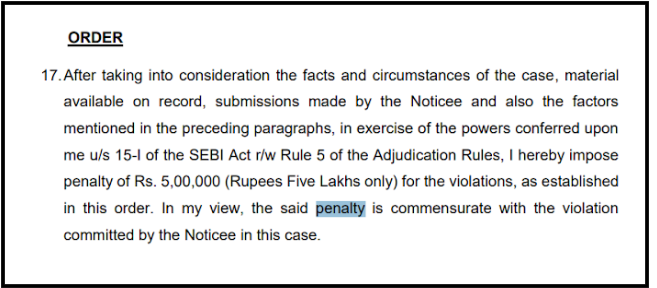
The broker reportedly lacked proper cybersecurity monitoring tools, documented response plans, and adequate system logging mechanisms.
These shortcomings raised concerns about the platform’s ability to manage technical glitches and cyber threats effectively. To address these compliance failures, SEBI imposed a fine of ₹5 lakh on the brokerage firm.
Technical Glitch in Stock Exchange
In today’s fast-paced markets, stock exchanges are the backbone of trading activity.
Millions of orders are processed every second, leaving little room for error. However, recent incidents have shown that even the most advanced exchanges are not immune to technical breakdowns.
When an exchange faces a glitch, the impact goes far beyond inconvenience—it can disrupt order execution, freeze positions, distort prices, and expose traders to sudden financial risk. These episodes underline how deeply traders and brokers depend on stable exchange infrastructure and why system failures remain a serious concern.
1. BSE Technical Glitch
On July 12, 2024, the Bombay Stock Exchange experienced a significant technical issue affecting its Futures & Options segment.

Traders reported that orders were getting stuck in pending status, making it impossible to execute, modify, or exit positions on time.
The issue was not limited to a single broker, indicating that the problem originated at the exchange level. As the disruption continued during active market hours, many participants were left helpless, especially those managing intraday or expiry-related positions.
The incident highlighted how even short-lived exchange issues can lead to outsized stress and potential losses.
2. NSE Technical Glitch
The National Stock Exchange has also faced multiple technical challenges over time, ranging from delayed price feeds to temporary suspension of trading in specific segments.
In some instances, live data stopped updating mid-session, forcing brokers and traders to rely on incomplete information.
Such interruptions often lead to confusion, as traders are unable to track positions or respond to rapid market movements. These recurring issues emphasize the complexity of managing high volumes and real-time data flows in India’s largest exchange.
3. MCX Technical Glitch
The Multi-Commodity Exchange has witnessed several operational disruptions, including delayed market openings and abrupt trading halts due to system failures.
One such glitch happened on Oct 28, 2025, due to which trading was halted for 4 hours.
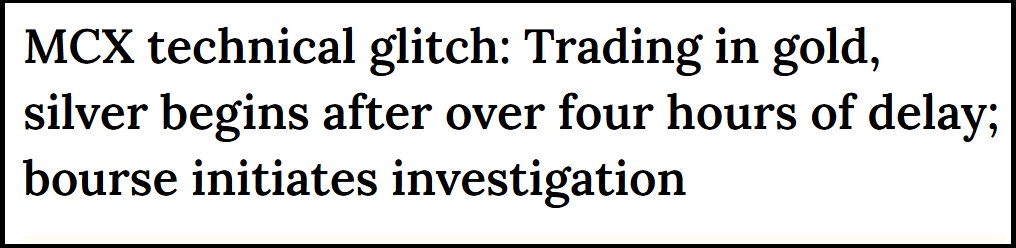
In certain cases, trading had to be postponed for hours as the exchange worked to stabilize its systems or shift to backup infrastructure.
For commodity traders, where global cues and time sensitivity are critical, such delays can significantly affect trading strategies and risk management. These incidents have raised questions about preparedness and the robustness of disaster-recovery mechanisms.
Together, these events make one thing clear: technical glitches in the stock market can ripple across the entire trading ecosystem.
Brokers, traders, and investors may do everything right, yet still face losses due to failures beyond their control.
As markets grow more technology-driven, the importance of resilient systems, effective backups, and transparent communication becomes even more critical, for exchanges & broking apps wiht traders who rely on them every day.
What to Do If Your Stock Trading App Is Not Working?
When your stock market app suddenly stops working, panic is a natural reaction—especially if you have open positions or fast-moving trades. But acting calmly and taking the right steps can make a real difference, both in limiting losses and protecting your rights as a trader.
- First, document everything immediately.
Take screenshots or screen recordings of the error messages, frozen screens, failed order attempts, and timestamps. These small details often become the strongest evidence if you later need to raise a complaint. - Try alternate access options.
Check if the broker offers a web platform, call-and-trade facility, dealer desk, or emergency exit option. Even if these alternatives don’t work, attempting them shows that you made reasonable efforts to manage your trades. - Inform your broker without delay.
Raise a support ticket, send an email, or use in-app chat as soon as the issue occurs. Clearly mention the time, nature of the problem, and the financial impact you faced. Written communication creates an official record. - Lodge a complaint in SCORES
If the app failure leads to financial loss and the broker’s response is unsatisfactory, you have the right to escalate the matter through the broker’s grievance cell, SEBI SCORES and, if needed, arbitration in the stock market.
Need Help?
Many traders don’t realize that technical failures are not always excusable, especially if adequate backup support was missing. The process can feel complex and intimidating, particularly when documentation and timelines are involved.
That’s where guidance matters.
Register with us. We help you organise proof, draft a clear complaint, and file it through the proper channels so it actually moves.
Conclusion
When a stock trading app stops working, it’s important to pause and understand what’s actually causing the problem before reacting. In most cases, the issue falls into one of three categories: a problem with your own device or app version, a broker-side outage, or a broader internet or exchange-level infrastructure failure.
Identifying which one it is, by checking broker alerts, social media updates, or exchange notices, helps you decide your next move instead of acting blindly.
If the outage leads to financial loss, speed matters. Document everything right away: screenshots, timestamps, failed order attempts, support conversations, and price movements.
Then raise a structured complaint through the broker’s official grievance process, escalating when necessary.
Proper documentation and timely action not only strengthen your case but also ensure that accountability doesn’t get lost in the chaos of a technical failure. In trading, being prepared for system breakdowns is just as important as having a solid market strategy.