When an Upstox login issue hits, it feels like the market moved without you.
And yeah, that’s stressful, especially if you’re mid-trade.
This blog breaks down the usual causes. Plus real user complaints and official fixes. So you don’t keep guessing.
Upstox Login Issue Today
Sometimes it’s not your phone at all. It’s the platform, or something upstream.
And that’s why “today” matters here.
Upstox users often post outage-style complaints.
Like “Upstox is down” or “not working.”
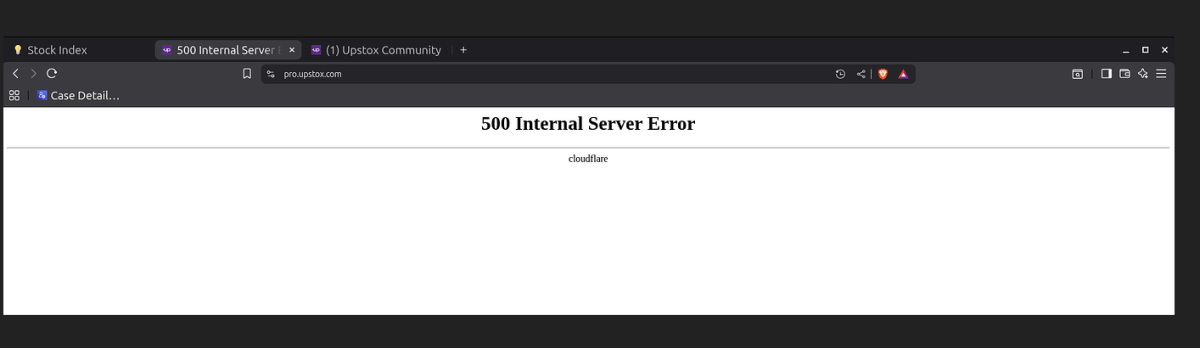
There have also been broader broker disruptions reported during a Cloudflare outage in December 2025, affecting similar platforms.
So before you reset everything, do this.
Check if multiple people report the same issue. That saves time and panic.
Common Reasons for Upstox Login Not Working
When the Upstox login fails, it usually happens for a very specific reason, even though the app rarely explains it clearly.
Most users assume the problem is their phone or internet, but in reality, the issue often lies somewhere between OTP delivery, app behaviour, and backend load.
- OTP Issue: One of the most frequent problems is OTP-related. Upstox relies entirely on OTP-based authentication, and during busy market hours, especially around 9:15 AM, OTP delivery can lag.
Many users receive the OTP after it has already expired or get multiple OTPs at once. In such cases, the app rejects even the correct code, showing an “invalid OTP” error with no further explanation. Email OTPs can also land in spam or promotions, which adds to the confusion. - Poor Internet Connection: Another common situation is when the app gets stuck during login. The credentials go through, but the app hangs on a loading or “verifying” screen and never opens the dashboard.
This usually happens when the app session is already running in the background or when the internet connection drops briefly during authentication.
On Android devices in particular, this behaviour is quite common after an app update or when the app hasn’t been restarted for a long time. - Infrastructure Issues: There are also times when nothing is wrong on the user’s side at all. Upstox, like most brokers, depends on multiple backend and third-party systems.
During periods of high trading activity or infrastructure issues, login may fail for a large number of users at the same time. In such cases, repeatedly retrying does not help; the app may simply refuse to log in until the backend stabilises. - Incorrect Device Time Settings: Upstox uses time-based authentication tokens. If your phone’s date or time is not set to automatic, OTP verification can fail even if everything else is correct.
This problem usually appears suddenly and is hard to diagnose unless you know how to check it. - Cache Related Problems: Over time, cached data from previous sessions can interfere with new login attempts.
This can cause strange behaviour, login works once, then fails the next time, or the app opens but shows an empty portfolio. Clearing the cache often fixes this, which indicates the account itself was never the problem. - Issue with DNS Settings: VPNs and private DNS settings can also interfere with login. Many users notice that Upstox works on mobile data but not on Wi-Fi, or works on the web but not on the app.
This usually points to network-level blocking rather than an account issue.
In most cases, an Upstox login problem is not random. It follows a pattern.
Once you identify whether the issue is OTP-related, app-related, or backend-related, it becomes much easier to decide the next step, whether to fix it yourself, switch to the web platform, or report it properly.
Upstox Login User Complaints
User complaints often sound repetitive. But the emotions behind them are real.
Let’s translate what they actually mean:
1. Login error despite correct details
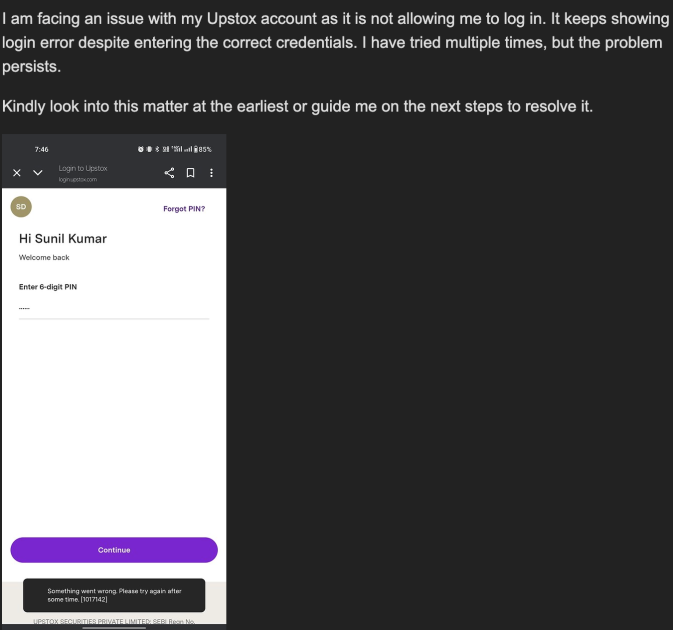
A user posted that they kept getting login errors even though their credentials were correct.
This usually points to OTP/PIN mismatch, session restrictions, or a temporary auth glitch. It’s less “wrong password,” more “system not accepting.”
2. No response from support ticket
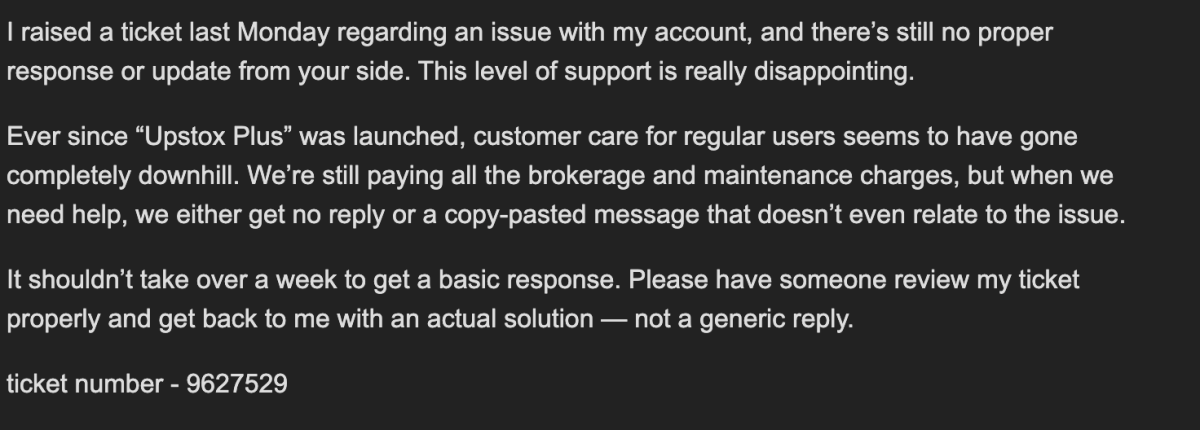
Another user complained about slow ticket updates.
This usually means they feel trapped. Because without a login, you can’t trade. And without replies, you can’t plan.
3. Support asks for a video, feels frustrated
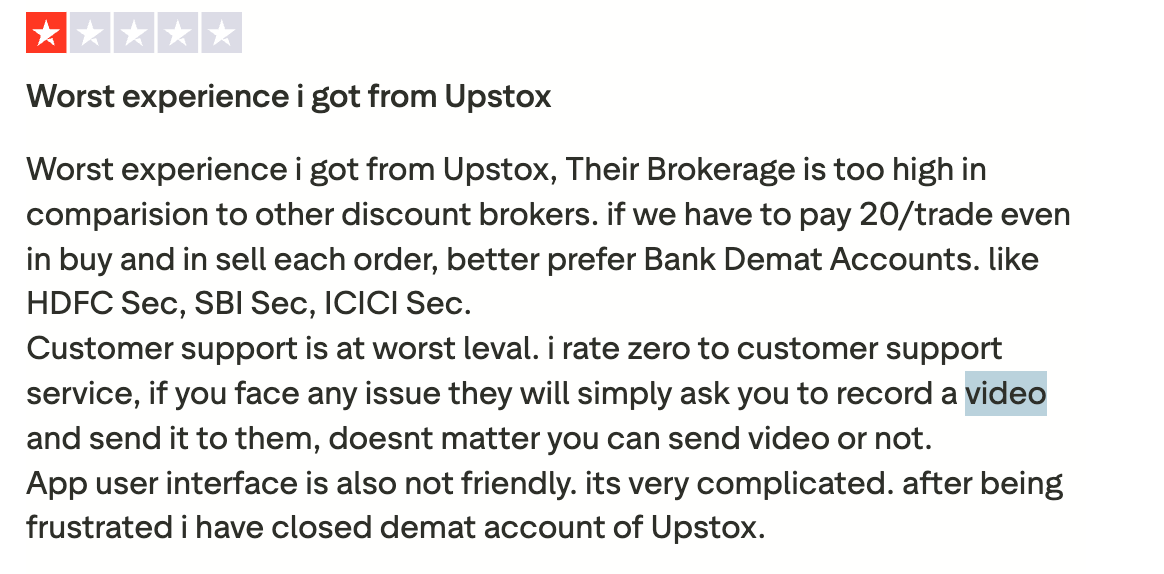
On Trustpilot, one complaint says support requested a recorded video, but still didn’t help.
That’s a common pain point across brokers. Users want quick fixes, not homework. But support teams use videos to diagnose bugs.
In summary, login failures are stressful already. So support delays make it feel ten times worse.
How to File Complaint Against Upstox?
If you want a clean reporting route, use Upstox’s official channels first.
- Send an email to Upstox.
- File a formal complaint with the Upstox compliance officer.
- Escalate the issue and complain about SCORES.
- File a complaint in NSE.
- Raise it and file a complaint in SMART ODR.
- If the issue remains unresolved, arbitration in stock market can be pursued as the final resolution under exchange regulations.
Need Help?
If your Upstox login issue today caused losses, or you’re stuck with tickets and no resolution, you don’t have to handle it alone.
We’ll help you organize screenshots and timelines. We’ll also guide you on the correct complaint route, so your case doesn’t get ignored or delayed.
Conclusion
An Upstox login problem is usually fixable. Often it’s cache, OTP delays, or backend hiccups.
But when both the app and the web fail, it can indicate a broader system issue.
So don’t just keep retrying blindly. Check outages, try the right fixes, and report fast if money was impacted.