You open your trading app. You pull up the Nifty index.
And instead of a live chart, you see a blank screen. Frozen candles. Numbers that don’t move.
Markets are open. Money is on the line. That moment feels uncomfortable, especially if you’re already in a trade.
When the Nifty chart is not showing, it’s not always your fault.
The problem can sit anywhere, from your internet, your broker’s system, exchange data feeds, or even the market’s underlying infrastructure.
Let’s break it down. One step at a time.
Nifty Chart Is Not Showing Today
A chart or any technical issue in the trading app could be frustrating, as it directly impacts your trades in the stock market.
In case you are facing any such issue in your trading app today, then there could be any one of the following reasons:
1. Internet or Network Issues
Live charts need a constant data flow.
If your connection slows down, drops briefly, or becomes unstable, the chart may stop loading or updating.
Even a short network hiccup is enough.
The result?
A frozen or blank index.
2. Broker Platform or App Issues
If your internet is fine, look at your broker next.
Broker apps run on internal servers and charting systems.
When those systems struggle due to:
- Server overload
- Software bugs
- Failed updates
- Chart engine downtime
Index charts like Nifty may fail to load even if stock prices seem normal.
3. Exchange Data Feed Problems (NSE / BSE)
Nifty data comes from the National Stock Exchange of India. If the exchange faces a data feed or dissemination issue, brokers can’t show live index movement.
At times, connectivity issues involving the Bombay Stock Exchange can also affect how brokers receive and display market data.
When this happens, charts may:
- Stop updating
- Show old values
- Turn completely blank
4. Market Infrastructure or Cloud-Level Outages
Modern trading platforms rely on cloud services, cybersecurity layers, and global internet infrastructure.
When any of these fail:
- Broker apps may load halfway
- Live feeds can pause
- Charts may refuse to render even while markets stay open
These issues aren’t caused by brokers, but traders feel the impact instantly.
5. Regulatory or System-Level Interruptions
In rare cases, system checks or safeguards involving the Securities and Exchange Board of India or exchange surveillance systems can affect how data is displayed.
Trading usually continues.
But certain elements, like index charts, may behave oddly for a short time.
Nifty Chart Not Working: User Complaints
Traders have shared similar stories across forums and Q&A platforms.
On Reddit, users describe moments where:
- The Nifty chart stopped mid-session.
- The same issue appeared across multiple brokers.
- Charts fixed themselves without any action.
On Quora, traders mention:
- Nifty charts are staying blank while stocks are updated normally.
- The issue resolves on its own.
- Switching platforms confirmed it wasn’t just one app.
The pattern is clear.
When Nifty charts fail, it’s often system-wide, not user-specific.
Here are some of the reported issues across forums and other platforms.
Case 1: NSE Index Prices Not Updating
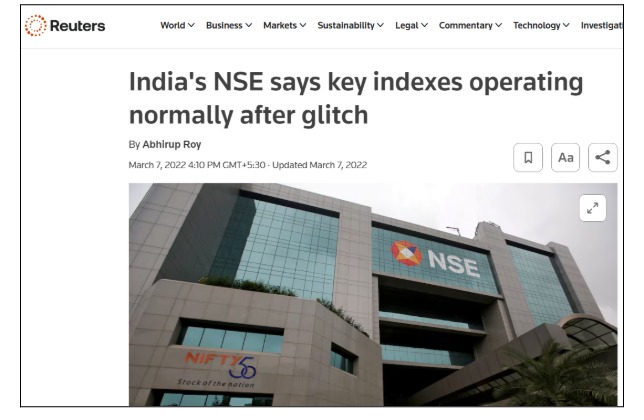
Reuters reported that the National Stock Exchange of India confirmed intermittent issues where key index prices were not updating due to a data feed problem.
This wasn’t a visual bug or a broker-side error. The issue originated at the exchange level. When index values fail to update at the source, brokers have nothing new to display.
As a result, Nifty charts across platforms appeared frozen or blank, even though the market was technically open.
For traders, this meant watching a chart that refused to move while prices were actually changing in the background.
The issue was resolved later, but it highlighted a critical point: when exchange data stalls, charts stop everywhere.
Case 2: BSE Connectivity Issue Affecting Brokers (July 2024)
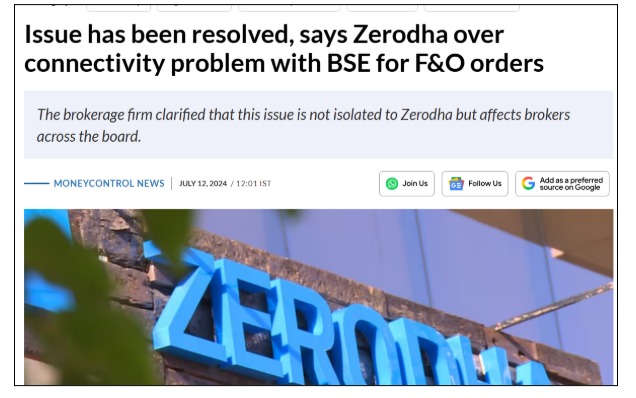
In July 2024, Zerodha publicly confirmed a connectivity issue with the Bombay Stock Exchange, which caused widespread disruptions across brokers.
The headlines focused on order execution problems. But beneath that was a deeper issue: broken connectivity between brokers and the exchange. When that link weakens or fails, real-time data feeds suffer.
During this period, traders reported delayed updates, missing price movement, and index charts that failed to refresh properly.
Even though the issue wasn’t specific to Nifty alone, index charts were among the first things to behave erratically.
This case showed how exchange connectivity issues don’t just affect orders; they directly impact chart visibility.
Case 3: Broker Connectivity Glitches During Market Hours (January 2024)
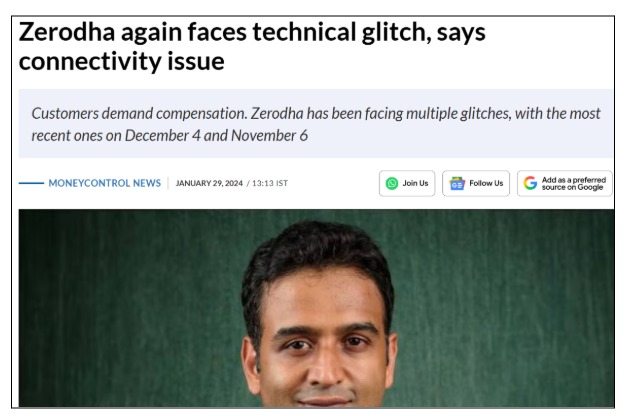
In January 2024, Zerodha again acknowledged a technical glitch caused by connectivity issues during live market hours.
Such incidents usually don’t shut platforms down completely. Instead, they create partial failures: apps open, accounts load, but market data lags or disappears.
During these glitches, traders commonly experience:
- Index charts not updating
- Delayed candles
- Sudden gaps in market movement
Stock prices may appear normal for a while, but index charts like Nifty often show the problem first. Once connectivity stabilizes, charts resume without any user action, confirming the issue wasn’t local.
What To Do If Nifty Chart Is Not Showing?
Once you know the reasons, the next step is knowing what to do.
If the Issue Is Related to the Internet or Network
When it’s on your end, fixes are usually quick.
- Switch between Wi-Fi and mobile data.
- Restart your router or toggle airplane mode briefly.
- Close and reopen the app or browser
If the chart starts moving again, the network was the problem.
If the Issue Is Related to Your Broker’s Platform
If your internet is stable but the chart still won’t load, your broker may be facing issues.
- Check the broker’s app or website for outage alerts.
- Contact support via chat, email, or helpline
- Ask directly if there’s a known technical or data feed issue
If many users are affected, brokers usually acknowledge it and work on a fix.
If the Issue Is at the Exchange Level (NSE / BSE)
If the problem shows up across multiple brokers, it’s likely exchange-related.
- Check updates from NSE or BSE.
- Follow trusted financial news portals.
- Wait for official confirmation that feeds are restored
Calling your broker won’t speed this up. The fix has to come from the exchange.
If It’s a Market Infrastructure or System-Wide Issue
During cloud outages or large-scale disruptions:
- Don’t trade based on frozen or partial data
- Use official exchange websites for confirmation.
- Wait until platforms confirm normal operations
These issues usually pass, but they can hit many brokers at once.
If Regulatory or System-Level Changes Are Involved
When system checks or regulatory processes are involved:
- Avoid panic decisions
- Ignore rumors on social media.
- Give systems time to stabilize
These interruptions are temporary and usually handled quietly.
How to Report Technical Glitches in Stock Market?
If you are facing a technical glitch in Stock Market, don’t delay.
Take immediate action by following the technical glitch reporting process.
Here is how to report such issues:
- Take screenshots with timestamps.
- Raise a clear complaint with your broker.
- Escalate the issue and lodge a complaint with SCORES.
- File a complaint in SMART ODR.
- In case no resolution is provided, then file an arbitration in stock market, to get legal help and recovery of losses.
Need Help?
If chart issues have affected your trading and support responses are vague or slow, escalation becomes important.
We help traders identify whether the issue was broker-side or exchange-side, prepare proper documentation, and follow the correct escalation path.
That includes complaint drafting, follow-ups, and regulatory escalation when needed.
Conclusion
When the Nifty chart is not showing, it’s rarely random. Most of the time, it’s tied to connectivity problems, broker platform issues, exchange data feed disruptions, or broader infrastructure failures.
Knowing where the problem starts helps you stay calm. It helps you avoid decisions based on broken data.
In fast-moving markets, reliable information isn’t optional. It’s everything.