
You open the Groww app to apply for an IPO before the cutoff time. The screen loads, pauses, and then displays “your data fetching minions ran into an error.”
Prices disappear. IPO details vanish. The application status stops updating. The clock keeps moving, but the app gives you nothing to act on.
At that moment, frustration feels instant and unavoidable. You want to know why this specific error shows up at critical times. You want to know what to do next when the app blocks your action.
You also worry about missed IPOs, delayed orders, or possible losses. This guide focuses only on those concerns with clear reasons and quick fixes.
Groww App Not Working
Groww users see the error message ‘your data fetching minions ran into an error’ when parts of the app, like the IPO page, don’t load properly, especially during busy times.
This happens when the app can’t get live data from its backend systems and the connected market infrastructure. If the data flow slows or stops, users can’t get the information they need when they need it, making it hard for them to act quickly.
The error disrupts normal app use, slows investment decisions, and causes problems for users who depend on fast access to market data.
Since investors use the platform to track opportunities and make fast decisions, these issues show how important it is to have reliable systems and smooth data flow during high-traffic times.
Here are some of the other reasons that led to such an error message:
- Increase in traffic on IPO page
- There is a Groww app issue related to the app and the service that provides IPO status.
- Temporary internet issue
- Technical problem at the network or infrastructure level
Social media posts from investors highlighted the problem as they repeatedly tried to refresh the page without success. The issue occurred on a day when a significant IPO was open for subscription, adding to user concern.
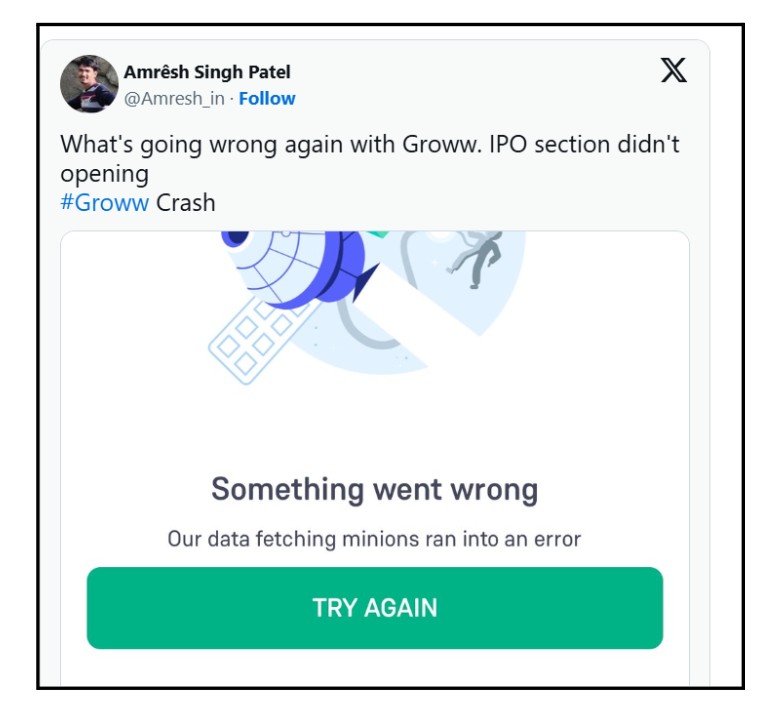
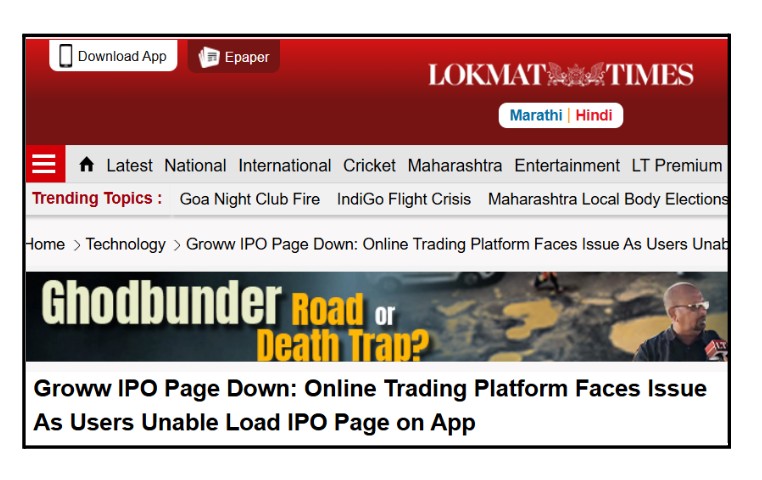
On September 9, 2024, Groww faced a technical problem that stopped many users from accessing the IPO page on both the app and the website. Users saw the message ‘Something went wrong. Our data fetching minions ran into an error. Try again.’ instead of the IPO details.
Where and How Users Can Fix the Issue?
When users see the error on Groww, they usually look for quick and easy ways to get back to the app.
This message typically means the app is having trouble getting the latest data from its servers or network. In most cases, simple actions on the user’s device can help reestablish the connection to the app’s services.
It also helps figure out if the problem is with the app itself or with the network or server side.
Stay calm and follow the steps below instead of trying to guess what to do next.
- Check Your Internet Connection: Make sure your mobile data or Wi-Fi is working well before opening the app again. A weak or unstable internet connection often stops the app from loading data properly.
- Restart the App: Fully close the Groww app and then open it again. This will refresh the app’s connection and can fix small glitches.
- Update the App: Go to Google Play (for Android) or the App Store (for iOS), and download the latest version of Groww. Developers often fix known issues in updates.
- Clear Cache/Data (Android): On Android devices, go to Settings > Apps > Groww > Storage, and clear the cache and data. Removing old temporary files can help fix corrupted data problems.
- Restart Your Device: Turn your phone off and on again. This can resolve hidden connections or memory issues that affect the app’s performance.
- Reinstall the App: If the problem still exists, uninstall and then reinstall the Groww app. This ensures you have a clean installation and can fix deeper software issues.
- Contact Customer Support: If none of the steps work, reach out to Groww support through the in-app help section or official website. Let them know about the error and include any screenshots if possible.
How to Complaint Against Groww App?
When there’s a technical problem that stops people from accessing trading or IPO information, it’s important to report the issue quickly.
This helps the platform find and fix the problem faster. Also, clear reports make a record of what happened, which helps keep things transparent and fair.
Investors should be careful and provide accurate, complete information when making such Groww complaints, instead of acting too quickly without thinking.
A clear way of reporting helps support teams understand the problem right away, without needing to ask for more details later.
Steps to report:
- Start by raising a complaint through the Groww app’s Help or Support section.
- Clearly write down the error message and the exact part of the app that isn’t working, like the IPO page.
- Add the date, time, and take screenshots of the problem. Submit your request and note the ticket number you get.
- If the app doesn’t help, send an email to Groww support using the official email address found on their website.
- Include the previous ticket number and clearly explain the problem again. Keep copies of all emails for your records.
- If the issue isn’t fixed yet, reach out to the platform’s grievance or escalation contact listed on their website.
- Mention all previous complaints and attach any supporting documents.
- Give the platform a reasonable time as stated in their grievance policy.
- If the problem still isn’t solved after escalation, lodge a complaint in SCORES portal.
- Choose the right category and upload all your records. Check the status of your complaint regularly until it’s closed.
Need Help?
Register with us, we know how frustrating it can be when things go wrong, and answers aren’t clear. Technical problems can make investors feel lost about what to do next.
It gets even harder when support takes too long or doesn’t respond at all. At these times, having clear information is more important than quick answers.
Knowing how to move forward helps ease worries and brings back trust. We take you through the whole complaint process, step by step. Our support starts when you first submit your complaint to the platform. We help you gather and organize all the necessary details, documents, and timelines.
We stay with you every step of the way until the issue is resolved. This way, everything stays organized, consistent, and you’re always kept in the loop.
Conclusion
Groww helps a big group of regular investors through its online investment tools. Like other tech-based platforms, it can sometimes have short problems when there’s a lot of activity.
The ‘data fetching minions’ error shows there’s a problem getting real-time information, not a big system breakdown. These events show how much digital investing depends on having steady data.
Knowing about these issues helps users understand what’s happening better. When technical problems stop people from investing, acting quickly is important.
Investors should watch out, write down the issues clearly, and report them right away. Being fast in raising the problem helps get it solved more quickly.
Keeping up to date helps make better choices when things are unclear. Being alert and ready is really important when using online investment platforms.