Ever had that heart-stopping moment when the market is buzzing, your stock is moving exactly the way you predicted, and suddenly you’re locked out of your trading account?
If you’ve faced an HDFC Securities login issue during market hours, you already know how helpless it feels. One forgotten password or an unexplained “technical error,” and it can feel like HDFC Securities not working completely, leaving you unable to trade.
The panic is real. You can’t check your open positions, you can’t place or modify orders, and every second feels like it costs you.
What makes it worse is the uncertainty you’re left wondering whether the problem is on your end or if the platform itself is acting up.
That’s exactly why this blog exists.
If you’re a first-time user (or even a seasoned trader), this guide walks you through what actually causes HDFC Securities login failures, the kind of problems users openly complain about online, and the smartest way to report the issue so it gets resolved faster, not later.
Consider this your calm, step-by-step companion when the login screen refuses to cooperate.
By the time you finish reading, you’ll know what’s going wrong, why it happens, and how to get yourself back where you belong, watching the charts, placing trades, and staying in control while the market moves.
HDFC Securities Login Problem Today
HDFC Securities login not working today? Before you panic, pause for just a minute.
The very first thing you need to figure out is this: is the problem only with you, or is everyone facing it? That one question can save you a lot of unnecessary stress.
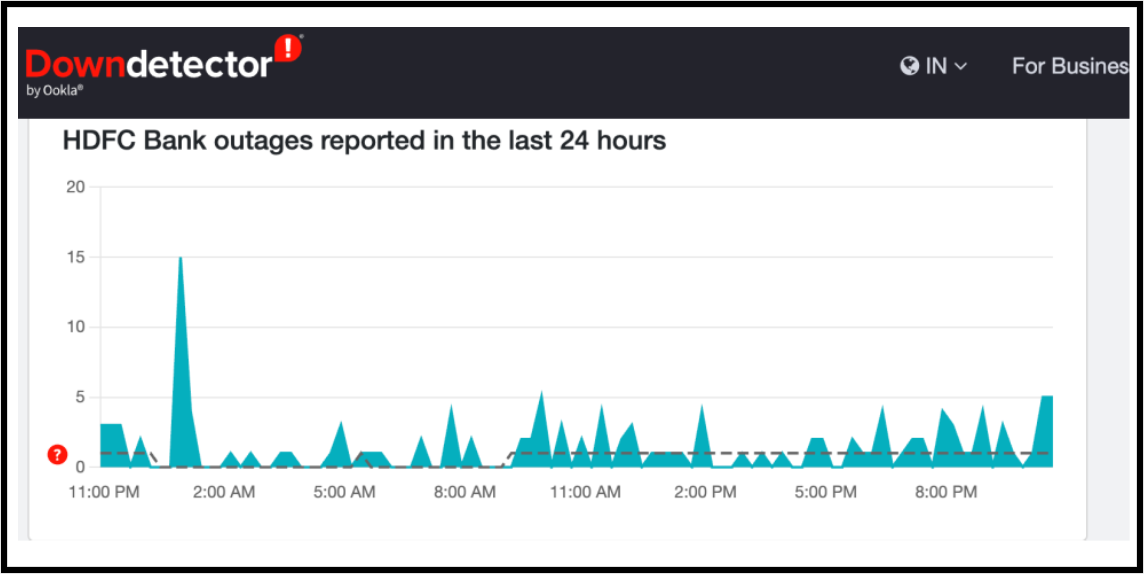
Many times, the issue isn’t actually with HDFC Securities at all. The trading platform may be perfectly fine, but the banking layer behind it could be facing a temporary outage.
HDFC Bank service disruptions are frequently reported on Downdetector, and when the bank hiccups, the trading app often feels the impact.
There’s another angle most people forget. Modern trading apps don’t work in isolation; they depend heavily on internet infrastructure and cloud services.
Remember the Cloudflare disruption in December 2025? Multiple broker websites went down at the same time, even though nothing was wrong with the brokers themselves.
That’s why reinstalling the app, clearing cache, or resetting passwords right away often turns into a 30-minute exercise in frustration. Instead, check outage signals first.
A glance at Downdetector or social media can tell you whether you’re dealing with a personal issue or a system-wide problem that will fix itself soon.

Sometimes, the smartest move is simply knowing when not to panic.
Web login issues feel worse. Because you try the “backup plan,” and even that doesn’t open.
If web login is stuck or erroring, it may be due to server load or site-side issues. In such cases, don’t keep resetting passwords. You’ll just create more confusion.
Try a fresh browser session. Use incognito mode once. Clear cache, then retry. If it still doesn’t work, check whether others are reporting issues too.
That tells you it’s not your device.
HDFC Securities Login User Complaints: Real Cases
Now, let’s get real, because nothing sets expectations better than actual user complaints.
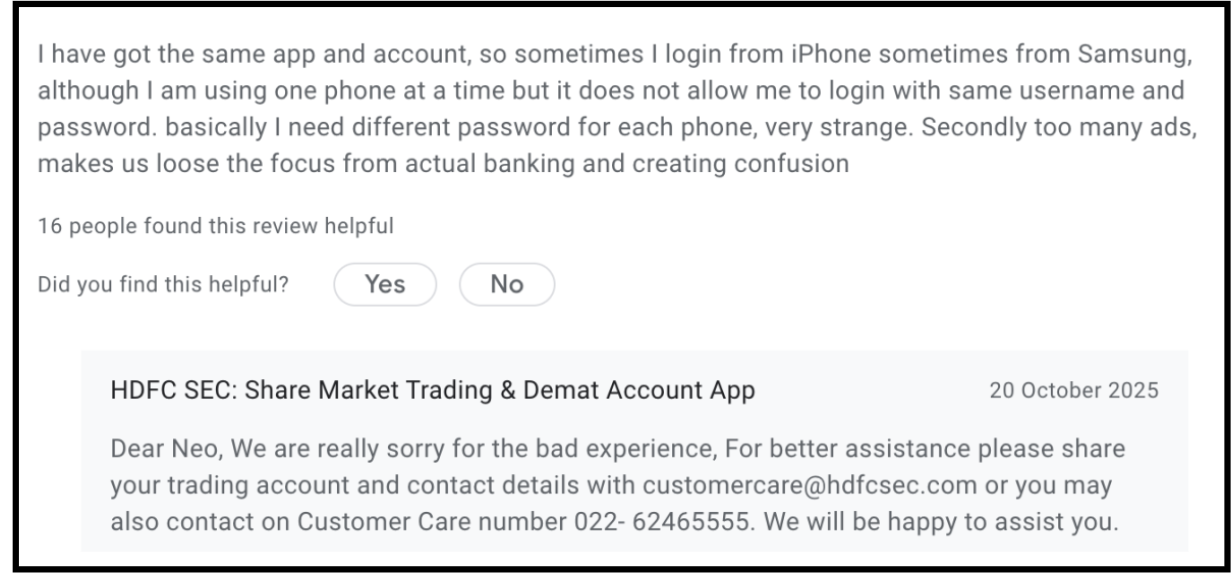
Imagine logging into your trading account and discovering that your password depends on the phone you’re using.
One user reported exactly this: the login worked with one password on an iPhone and a different password on a Samsung.
Even more baffling?
This happened despite using only one device at a time.
Instead of feeling secure, the user was left confused and frustrated, wondering whether this was a technical glitch or a questionable security design.
And the frustration didn’t stop there. Once inside the app, the experience felt less like a professional trading platform and more like a marketing showcase.
Pop-ups and promotional nudges constantly competed for attention, breaking focus at moments when clarity and calm decision-making are crucial.
In a financial app, where users expect precision, stability, and trust, these distractions can quickly become deal-breakers.
Taken together, these complaints highlight a deeper issue. When login processes feel unpredictable and the interface feels cluttered, confidence takes a hit. For a platform handling people’s money, usability isn’t a luxury; it’s a necessity.
Recently, HDFC Securities paid ₹65 lakh to settle a case with SEBI regarding failures in their critical IT systems.
Behind the “System Busy” messages and login errors was a deeper regulatory failure. SEBI’s investigation revealed that HDFC Securities bypassed several critical safety protocols.
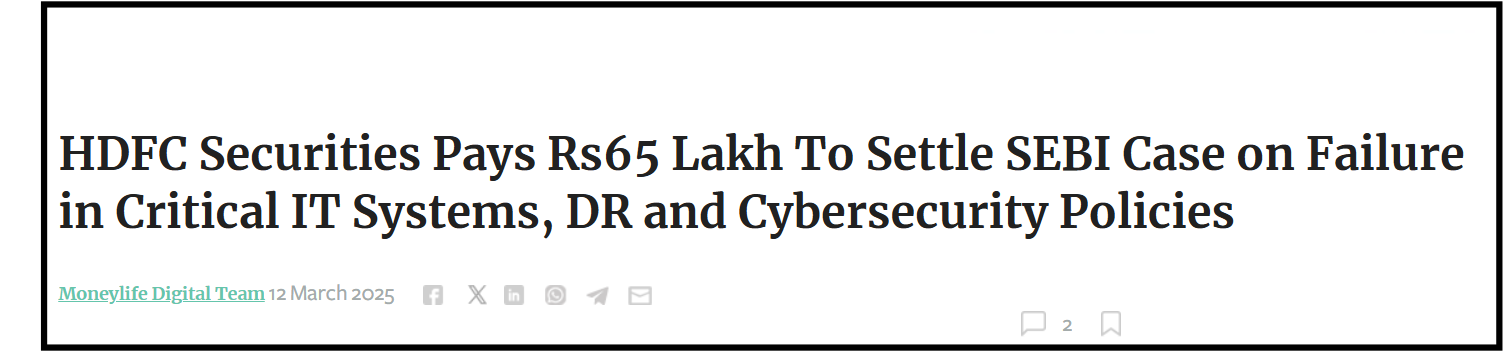
The broker failed to conduct mandatory quarterly disaster recovery drills. In plain words?
They didn’t practice what to do if the main system crashed, leaving investors vulnerable.
Moreover, critical assets like “employee login directories” and “internet-facing websites” weren’t properly classified, creating a massive cybersecurity blind spot.
Quick Fixes That Usually Work
When login fails, it’s usually not “mystery hacking.” It’s basic stuff that breaks authentication. Start simple because simple fixes solve most login failures.
Update the app first. Restart your phone. Switch Wi-Fi to mobile data. Then try web login once. If the web works and the app fails, the app build is likely the problem. If both fail, it’s either authentication trouble or an outage.
Keeping your credentials secure is vital, as maintaining login integrity is the first line of defense against serious risks like HDFC Securities unauthorised trading or data breaches.
Also, don’t spam login attempts. Repeated attempts can trigger security throttling.
Additionally, HDFC Securities has a help page for login trouble. It points users to customer care for password resets.
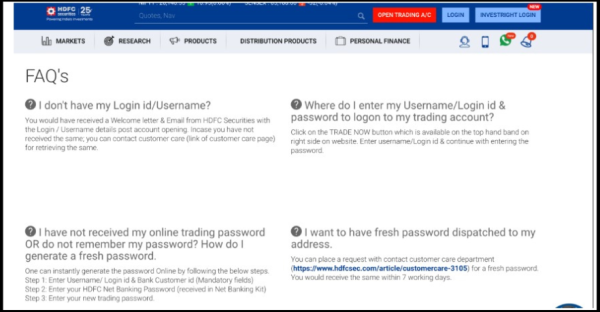
In real life, “login not working” often means a wrong password, a locked account, OTP issues, or app bugs.
If you recently changed your phone or reinstalled the app, sessions can behave weirdly for a while. That’s normal in secure broker apps.
How To File Complaint Against HDFC Securities?
If login issues impacted trading, don’t keep it casual. Report it with proof.
- Contact HDFC Securities lists customer care support.
- If the first level doesn’t help, their escalation matrix is public.
- If Nothing Works: File a Complaint in SCORES.
- For further escalation, you can file a complaint in SMART ODR and, if needed, pursue arbitration in stock market to seek recovery of losses caused by the login issues.
Need Help?
If your HDFC Securities login is not working and has caused losses or blocked urgent trades, you don’t have to deal with it alone.
In rare cases, prolonged access issues can raise concerns about account activity.
We’ll help you organise screenshots and timelines.
And guide you on the correct escalation route from customer care to compliance to SCORES.
Conclusion
An HDFC Securities login problem today is typically caused by either a local device or app-related issue, or a broader system outage.
Start with the basic troubleshooting steps to rule out simple problems, then check for confirmed outage signals if the issue persists.
And if your access problem has affected trades or funds, make sure to report it through the proper support channels.