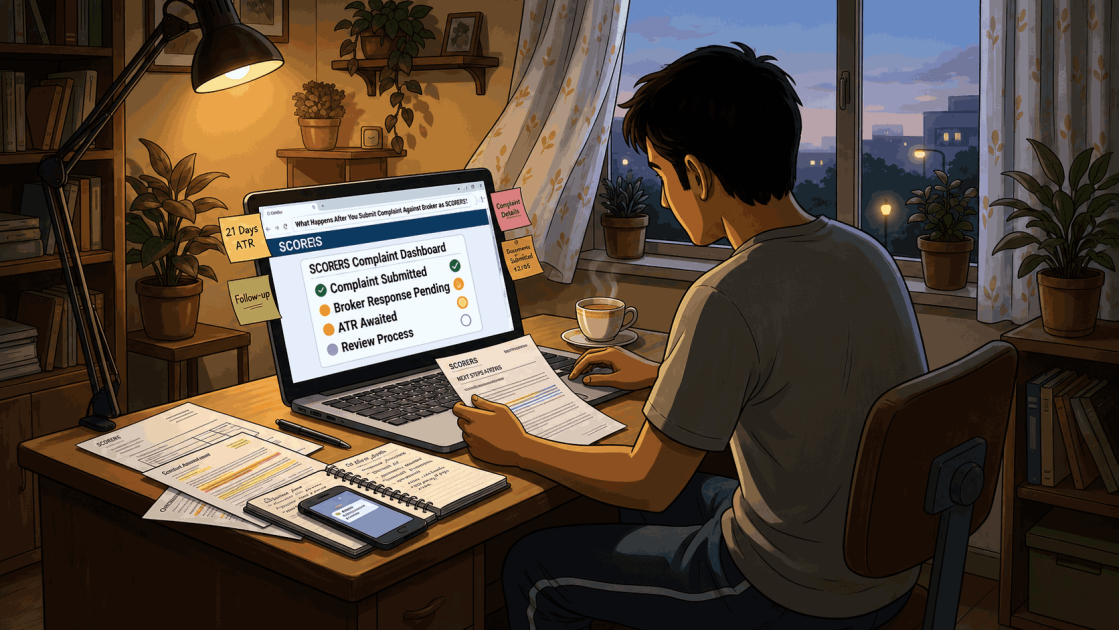
You have filed a complaint against your broker on SEBI SCORES. Now what? Will SEBI investigate? Will you get your money back? Many investors file complaints, but stop tracking the process right after submission. This leaves them confused about what happens after you submit complaint against broker on SCORES.
Understanding this can help you set realistic expectations. It can also help you respond on time and avoid an automatic closure.
This article walks through the SCORES process step by step, from registration to escalation.
How Does SEBI Resolve Broker Complaints Through SCORES?
When you file a complaint on SCORES, the platform follows a defined step-by-step process once your complaint is submitted. Each stage has a set timeline and a specific purpose.
1. Complaint Registration
The moment you submit a complaint, SCORES generates a unique registration number.
You receive this number along with an acknowledgement by email and SMS. Keep this number safe to track your complaint.
2. Complaint Forwarded to the Broker
SCORES 2.0 auto-routes your complaint to the concerned entity.
The broker now becomes responsible for reviewing and responding to your grievance directly on the portal.
3. Broker Reviews and Responds
The broker must submit an Action Taken Report, or ATR, within 21 calendar days of receiving the complaint.
The ATR can lead to a few outcomes:
- The issue gets resolved in your favour.
- The broker offers a partial settlement.
- The broker rejects the complaint with reasons.
- The broker seeks clarification or additional documents from you.
If the broker seeks clarification, you will get an email and SMS alert. Respond within the stipulated time, or your complaint’s timeline may be affected.
Step 4: Investor Reviews the Action Taken Report
Once the ATR arrives, check it carefully through your SCORES dashboard. You have 15 calendar days from the date of receipt to act.
If you accept the resolution, no further action is needed. If you remain dissatisfied, you can request a review.
This is where the two-level review system comes in.
- First Level Review: A Designated Body, such as a stock exchange, reviews the case and issues its ATR.
- Second Level Review: If still unsatisfied, you can escalate to SEBI, which adds a regulatory layer beyond the Designated Body’s review.
Once you know how the review levels work, the next question is what SEBI itself can actually do for you.
What To Know About Filing a Complaint on SCORES?
SEBI acts as the market regulator, not a consumer court.
It facilitates grievance redressal through SCORES and monitors entity compliance, but it does not typically adjudicate compensation the way a civil court or arbitration panel does.
So, with that distinction in mind, it helps to know which complaints SCORES actually accepts, and why even valid ones can still end up closed.
Common Reasons SEBI SCORES Complaints Get Closed
SCORES accepts complaints tied to the securities market. Common examples include unauthorised trades, delayed payouts, account-related disputes, and non-compliance by registered intermediaries.
Complaints unrelated to securities, such as banking disputes, fall outside its scope.
Several complaints close without resolution, often for avoidable reasons:
- No supporting evidence was attached.
- The issue falls outside SEBI’s jurisdiction.
- The broker provided a satisfactory explanation.
- The investor did not respond to a request for clarification in time.
Knowing these reasons in advance can help you avoid an unnecessary closure.
Typical Timeline After Filing a Complaint to SEBI
| Stage | Approximate Time |
| Complaint registration | Immediate |
| Auto-routing to the broker | Immediate to 1 day |
| Broker’s Action Taken Report | Up to 21 calendar days |
| Investor review window | 15 calendar days from ATR |
| First level review (Designated Body) | Up to 10 calendar days |
| Second-level review (SEBI) | Varies by case |
| Further escalation via ODR/arbitration | Depends on case complexity |
To understand what happens after you submit complaint against broker on SCORES, look closely at these regulatory benchmarks.
These standard timelines apply to most cases, though complex disputes may take longer.
Can SCORES Get Your Money Back?
Refunds are far more likely when you submit clear evidence: account statements, transaction logs, and written communication with the broker.
Compensation becomes less likely when the dispute involves subjective claims, such as disagreements over investment advice or market losses.
In one case about recovery from Aurostar Investment Advisors, an investor paid nearly ₹2.95 lakh after being shown guaranteed return promises and recovery assurances.
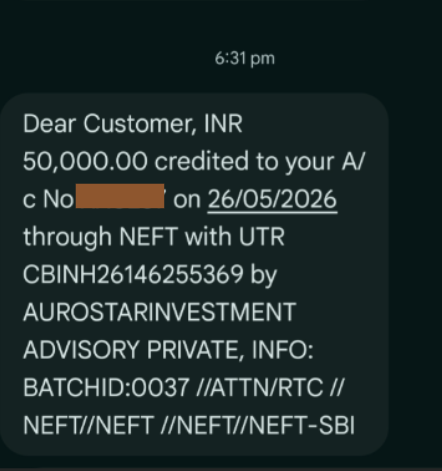
Our team built a documented complaint and escalated it through SEBI SCORES, helping the investor recover ₹3 lakh as a first instalment against a ₹4.22 lakh claim.
“If I don’t get a refund through SEBI SCORES, is there anything else I can do?” Yes, other portals like SMART ODR conciliation and arbitration can still help.
And the recovery? Not guaranteed, but possible.
In another case involving DG Share Market Research false promises, an investor paid fees to multiple representatives after being shown profit screenshots and loss-recovery promises.
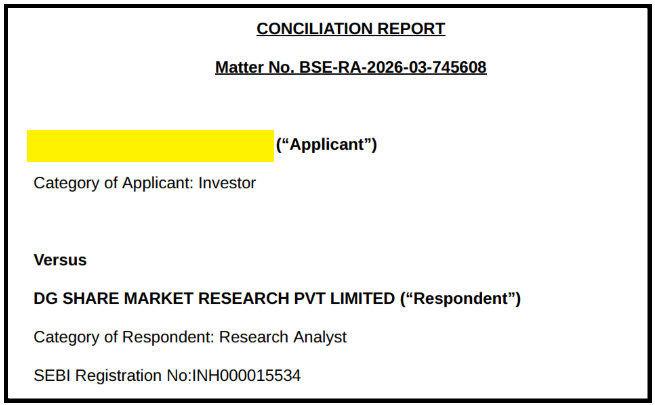
The case involved payments routed to personal bank accounts and trade instructions beyond a Research Analyst’s permitted scope.
Our team helped the investor escalate through SEBI’s SMART ODR conciliation, securing a full settlement of ₹1.35 lakh.
Now that you know the possibilities, let’s look at how to actually execute them.
What If You Are Not Satisfied After Reporting on SCORES?
If the two-level review process does not resolve your grievance, you still have options outside SCORES.
File a Complaint on SMART ODR
If SCORES does not resolve your grievance, file your complaint using your SCORES registration number.
It is a single online portal that takes your case through conciliation and arbitration in sequence, without separate filings for each stage.
Conciliation
Upload your evidence, select conciliation, and a neutral SEBI-empanelled conciliator will be assigned to your case.
Respond to all communication promptly on the portal, as delays can stall the settlement process.
Stock Market Arbitration
If conciliation fails, your case automatically moves to arbitration on the same SMART ODR portal.
Submit any additional documents the arbitrator requests without delay. The arbitrator’s award is binding and enforceable under the Arbitration and Conciliation Act.
Need Help?
Are you still confused about the actual status or the information around your SCORES complaint?
Don’t worry, we are here to help you understand every bit about filing a complaint through SEBI SCORES, its possibilities, and its timelines.
And not just that, we will help you further till the last escalation.
Register with us to make this process smoother.
Conclusion
Knowing exactly what happens after you submit complaint against broker on scores changes how you approach your recovery.
Filing a complaint against a stock broker on SCORES is only the first step. If the broker’s ATR does not satisfy you, raise a review within 15 days.
If both review levels fail, move to SMART ODR and file immediately using your SCORES number.
Track every stage, respond to every clarification request on time, and keep your evidence ready before escalating.
The process works only if you do.
Frequently Asked Questions
1. Does filing on SCORES guarantee a refund?
No, a refund depends on the evidence and the nature of the dispute.
2. Can I reopen a closed SEBI SCORES complaint?
You can pursue further remedies through ODR or arbitration if SCORES review does not resolve it.
3. How long does the entire complaint against the broker process take?
The SCORES process typically takes a few weeks; ODR or arbitration adds more time if needed.