
Quick Summary
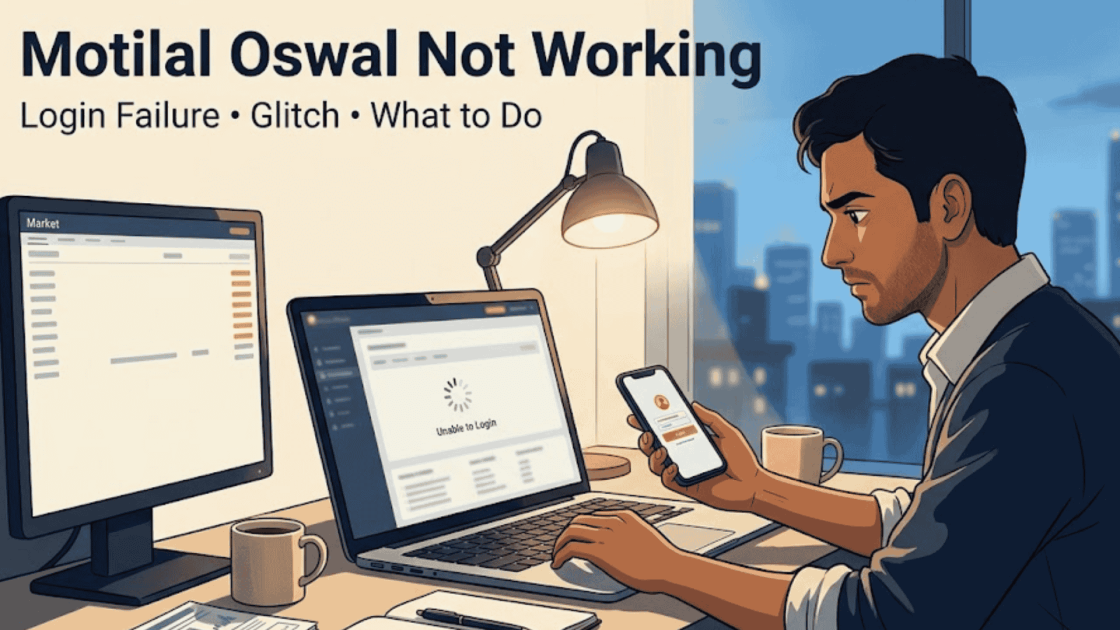
App stuck on the welcome screen, credentials rejected, or orders failing mid market? You are not imagining it. Motilal Oswal’s platforms have a documented history of outages, from a ransomware attack in 2024 to a technical glitch officially reported to NSE in April 2025, and user complaints run across MO Trader, MO Investor, and Orion Lite. This page gives you the quick fixes, the real login failure cases, the incident history, and the part most traders never learn, when a glitch stops being a support ticket and becomes a money claim.
The market is moving. Your position needs an exit. And your screen refuses to respond.
Few moments in trading feel more helpless, because the problem is not your decision, your strategy, or the market.
It is the platform itself, standing between you and your own money.
Thousands of traders have stood exactly where you are, and this page covers all of it: the fixes, the causes, and your rights when the frozen screen costs real money.
Motilal Oswal App & Login Issues: Quick Fixes & Solutions
When trading platforms freeze during market hours, quick action is critical.
Before assuming a major system outage, rule out common local device errors by running through these immediate troubleshooting steps.
Run them in order:
- Force close the app completely and reopen it.
- Clear the app’s cache and data.
- Uninstall and reinstall the app.
- Try logging in from a web browser instead.
- Try a different device entirely.
- Check your internet connection stability.
If the platform works after these, you lost minutes. If it still refuses, keep reading, because the problem is on their side, and everything from here is about handling exactly that.
Motilal Oswal Login Issue: The Real Failure Cases
Login trouble is the most common face of this problem, and every form of it has already happened to someone.
The five cases below are documented, real, and specific.
Find yours among them, because naming your exact failure is the first line of your complaint:
Case 1: Account Blocked With An Invalid User Error
One trader, client code JAJM1204, reported on Consumer Complaints India that his account suddenly stopped recognising him.
In his words: “Every time I tried logging in to my account on your website or Lite Desktop from last Friday, it’s showing invalid user.”
He called customer care the entire week. Every single day.
The answer he got: they could not map his account.
For seven full days, he was completely locked out of his own money. No trading, no access, just the same error, and similar troubles reported around eKYC authorisation too.
Case 2: The App Frozen on the Welcome Screen
Documented user feedback repeats one line almost word for word: “The app gets stuck on the welcome screen. Can’t even reach the login page.”
This is complete login failure. The trader opens the app, the welcome screen appears, and everything stops.
No credential field ever loads. Force close, reopen, force close again.
During market hours, those repeated attempts burn the exact minutes the trade needed, and by the time login works, if it works, the opportunity is gone.
Case 3: All Platforms Down At Once
An October 2024 analysis documented the heavier version: traders unable to log in across Orion Lite, MO Trader, and MO Investor simultaneously.
Not one app misbehaving. Every door locked at the same time.
The report’s own words capture the cost: the first opportunity to enter the stock at the right time gets missed, and the trader makes the next move by shifting to another broker.
Case 4: Correct Credentials Rejected
Traders enter the User ID and password they have used for months or years.
The system refuses them. Not forgotten passwords, working credentials suddenly failing validation.
The forced password reset that follows eats critical market time, and the reset itself can stall during exactly those hours.
Case 5: Password Change Failures
The quietest case doubles as the most dangerous one.
A trader who suspects a compromised password needs the change to work immediately. The function has bugs, or does not work at all.
Until it does, the account sits vulnerable, which turns a technical bug into a security exposure.
And if that exposure ever becomes reality, trades appearing that you never placed, the fight changes completely, because then the burden of proof flips onto the broker.
What that battle looks like, and the ₹30,000 to ₹1.12 crore that victims recovered, fills our page: Motilal Oswal unauthorised trading recovery.
One pattern ties all five together. The failure sits in the broker’s systems, not in your hands.
Hold that distinction, because it decides everything in the money-claim section below, and the sixth documented case, the glitch officially reported to NSE, sits in the incident history next, where it belongs.
Also Read: Anand Rathi Technical Glitch, 3 glitches one year, 7 the very next.
Why Does Motilal Oswal Stop Working? The Incident History
Maybe you think today’s frozen screen is just your bad luck, one rough morning on an otherwise fine platform.
The record says otherwise. The platform’s troubles have a documented timeline running across two years, each incident public and dated.
Read the four incidents below, and note any date that matches a loss you took, because a documented outage behind your failed trade turns your frustration into evidence:
1. February 2024: The Ransomware Attack
The broker confirmed it had detected and neutralised a ransomware attack on its systems.
Operations were restored quickly, and no client data was reported compromised. That is the official version, and it deserves fair credit.
But traders noticed what came after.
Companies hit by ransomware typically add security layers, extra authentication steps, tighter validation.
Those layers commonly bring exactly what users then reported: login slowdowns, credential validation delays, and system freezes.
And the deeper worry one trader voiced publicly stayed in the air: if this attack was caught in time, what about the next one?
2. July 2024: SEBI’s Administrative Warning
Weeks before the global outage, the regulator itself knocked.
SEBI issued a formal administrative warning to the broker over operational lapses in the handling of client data. Not a fine, a warning, the regulator’s way of saying it was watching.
Small errors in client data handling rarely stay small, because the same systems that mishandle data run your login, your alerts, and your orders.
And this warning sits inside a longer record, because the regulator has fined this broker six separate times over the years, a history counted order by order on our page: SEBI penalty against Motilal Oswal.
3. 19 July 2024: The CrowdStrike Global Outage
One faulty CrowdStrike update crashed Microsoft systems across the world, and Motilal Oswal’s platforms went down with them.
For the broker’s traders, that meant failed trades, delayed settlements, and hours of staring at dead screens in live market conditions.
Users vented in real time, stuck watching opportunities pass while the app lay dead, until the broker deployed emergency patches and restored operations.
The origin was not the broker’s fault.
The losses landed on its traders all the same, which is exactly why documenting your own timestamps matters even when the outage is global.
4. April 2025: The Glitch Officially Reported to NSE
The most telling incident is the quietest one.
In April 2025, the broker reported a technical glitch on its trading platform to the NSE itself. The specific details were never publicly disclosed.
But the reporting is the point. A glitch serious enough to be officially logged with the exchange is not a minor bug, and such glitches typically bring login failures, order placement problems, delayed market feeds, and stuck trades during live hours.
The glitch was isolated, not exchange-wide. For the users caught inside it, that distinction changed nothing.
Outages only show you one side of a broker, though.
If you’re also wondering whether the firm itself holds up, we checked that too, and our page on is Motilal Oswal trustworthy puts its registrations, complaint numbers and SEBI orders in one place.
App store reviews fill the gaps between these four incidents: freezes, lags, and sessions dying during market hours.
The pattern is established and public, which is exactly why your own documentation matters, because every screenshot you take joins a record the broker cannot call a one-off.
Also Read: Choice Finx not working, four real reviews, four genuinely distinct patterns worth reading.
When a Glitch Costs You Money, It Stops Being a Support Ticket
Here is the part most traders never learn, and it is the most valuable thing on this page.
A frozen app that wastes your morning is an annoyance. A frozen app that fails your exit, kills your order, or shows you false data is a financial dispute, and tribunals treat it exactly that way.
Two investors have already proven it against this broker.
One found 44 trades executed in a single second by the platform itself and won ₹1,44,809. Another acted on a wildly false price display and won ₹1,50,000.
Both awards, and how each was argued, are told in full inside our guide: Motilal Oswal arbitration cases.
So the moment a glitch touches your money, switch from fixing to documenting:
- Screenshot the error with the time visible.
- Note the exact time, down to the minute.
- Save the order status, the ledger entry, and the contract note.
- Record what the loss was: missed exit, failed order, or wrong execution.
- Email support the same day, describing the failure in writing.
Glitch evidence disappears fast. The screenshot you take in the moment is the claim you file later.
Watched the app die exactly when your money needed it alive?
Send us the screenshots and the timeline. We will establish what the platform failed to do, calculate what it cost you, and file the claim on the forums where glitch victims have already won, from the grievance desk to arbitration.
How to Complain When Motilal Oswal Is Not Working?
Most traders facing a dead app knock on only one door their whole life: the support ticket.
This page exists to show you there are two.
Door one is for access. Door two is for money. Knowing which one your problem belongs to decides whether you get an apology or a payment.
Door one, the support route: For freezes, login failures, and glitches that cost you time but no money.
Raise it in-app if the app opens, or through the website ticket, with screenshots attached, stating plainly that you could not access or operate your account. The broker’s window to respond is 30 days under SEBI’s framework, and most access problems end here.
Door two, the complaint route: For every failure that touched your money, the failed exit, the dead order, the wrong display. This door does not close when support says resolved, because a restored app does not restore a loss.
The full road behind it, the grievance emails, the customer care numbers, SCORES, and the stages beyond, is walked step by step in our guide on how to file complaint against Motilal Oswal online.
Same glitch, two very different endings.
The trader who stops at door one gets the app back. The trader who walks through door two, with the screenshots this page told them to take, is the one the tribunals paid.
Conclusion
Motilal Oswal’s platform problems are documented, recurring, and officially on record, from app store reviews to an NSE-logged glitch.
For everyday access trouble, the fixes at the top of this page resolve most of it. For everything bigger, remember the one line that changes outcomes.
A glitch that costs you money is not bad luck. It is a claim, and the traders who screenshot first and complain in writing are the ones who see it back.
Report. Recover. Stay Fraud Free.
Frequently Asked Questions
Common causes include app-side issues fixable by clearing cache or reinstalling, and platform-side failures like the outages and glitches the broker has faced, including one officially reported to NSE in April 2025. Try the basic fixes first, then document and report.
Documented login failures include welcome screen freezes, valid credentials being rejected, blocked accounts showing invalid user, and outages across Orion Lite, MO Trader, and MO Investor together. If basic fixes fail, the problem is platform-side and worth reporting in writing.
Yes, where the platform's failure caused the loss. Tribunals have awarded ₹1,44,809 for system-generated trades and ₹1,50,000 for a false price display against this broker. Timestamped screenshots and same-day written complaints are what make such claims work.
Start with in-app support or the website ticket with screenshots attached, and expect a response within 30 days under SEBI's framework. If unresolved, escalate through the broker's grievance desk, then SCORES and the exchanges, with your evidence trail carrying the case.
The broker is SEBI registered and has operated since 1987, but its platforms carry a documented history of freezes, login failures, and officially reported glitches. Use it with alerts on, records downloaded regularly, and every unusual failure screenshotted the moment it appears.





 Add us as a preferred source on Google »

